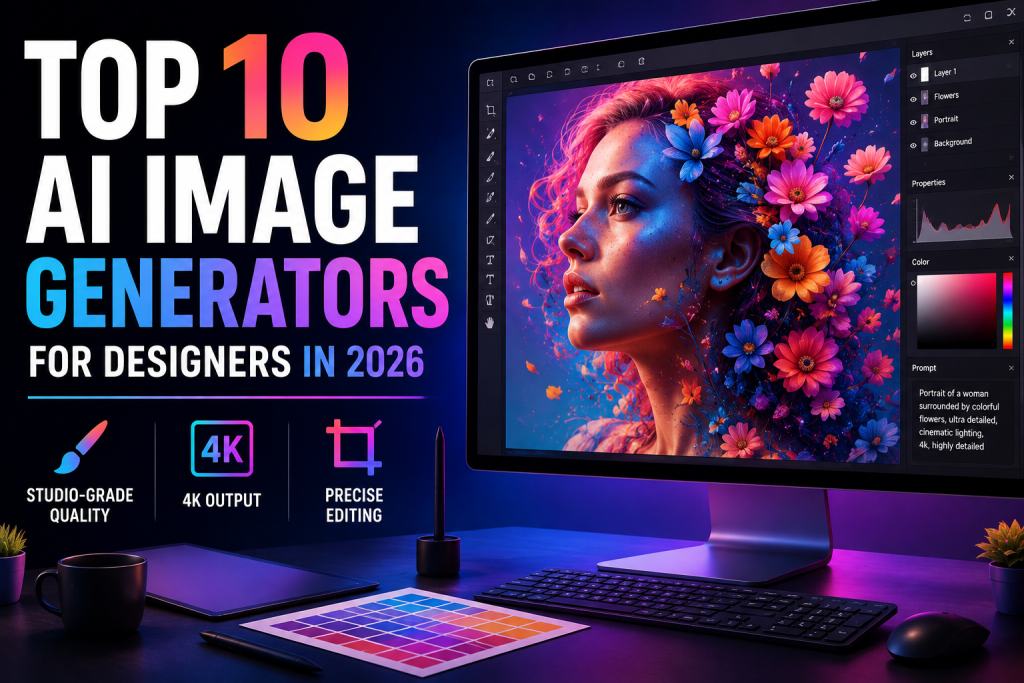
Introduction
Designers ask different questions than casual users. Can it render Chinese and English text legibly on one poster? Will the same character look consistent across 20 scenes? Does it output 4K for print, or cap at 1K? Does the tool accept a mood board of 10 references, or just one? This guide ranks ten platforms on those questions. Pricing is included but sits behind the design specs — a $3.99/mo tool that only outputs 1K isn’t cheaper than a $24.9/mo tool that outputs 4K, if 4K is what the brief needs.How We Test
Six criteria, all pulled from actual design briefs:- Output ceiling — 1K, 2K, or 4K; PNG for transparency, JPG for delivery
- Reference image capacity — how many refs the tool takes, and whether it holds multi-character consistency
- Editing precision — can it edit one part of an image without redrawing everything
- Text rendering — does typography survive multilingual prompts
- Aspect ratio range — some tools give 5 options, some give 14
- Model access — one engine, or a library including Nano Banana, Midjourney, FLUX, GPT Image
TL;DR — Designer Comparison Table
| Rank | Tool | Output Ceiling | Reference Limit | Notes |
| 1 | Nano Banana Bingo | 4K (JPG/PNG) | 14 images | 3-model matrix, 5-character consistency |
| 2 | Chat Image | 2K | 5 images | GPT Image 2, strong multilingual text |
| 3 | Fotor | Studio-grade | Multi-ref | Nano Banana + Midjourney + FLUX + GPT Image |
| 4 | Artlist | Up to 2K | Multi-ref | Sora, Veo, Nano Banana, GPT Image |
| 5 | MiriCanvas | Multi-model | Varies | 14 aspect ratios (incl. 8:1, 1:8) |
| 6 | Template.net | Multi-model | Character ref | 50+ models, SVG export |
| 7 | VEED | Video-timeline | N/A | AI images inside video editor |
| 8 | Creen AI | 4K | Multi-ref | 11+ engines, 32 parallel tasks |
| 9 | Hailuo AI | Up to 4K (Max) | 16 images | Highest reference limit here |
| 10 | DeepAI | Super Genius 2K | N/A | Basic style + shape controls |
Website List
1. Nano Banana Bingo
Three models, three workflow stages. Nano Banana 2 Lite handles cheap draft rounds. Nano Banana 2 covers mid-stage revisions. Nano Banana Pro takes 14 references and outputs 4K for final delivery — with up to 5 consistent characters in one composition. For crest and identity work, it doubles as a coat of arms generator. Key Features- Three-tier model matrix mapped to draft / mid / final
- Character consistency from a single selfie
- Scene preservation editing — change one area, keep the rest
- 14-image fusion on Pro; 5 consistent characters per composition
- Conversational editing in plain language
- 1K / 2K / 4K output in JPG or PNG (transparency for layering)
- Multilingual text rendering
- Runs in browser, no plugin
- Starter: $14.9/mo or $9.9/mo annual — 800 credits
- Pro: $39.9/mo or $24.9/mo annual — 1,600 credits, commercial license
- Max: $99.9/mo or $59.9/mo annual — 4,000 credits
- Ultra: $299.9/mo or $249.9/mo annual — 10,000 credits
- Credit packs: $49.90 (1,000) up to $4,999.90 (300,000), never expire
- Per-generation: 2 credits for 1K text-only; 9 credits for 4K with references
- Model tiers match how designers actually work
- 14 references is enough for real mood boards
- 5 characters in one frame without drift
- Scene preservation cuts re-render cycles
- 4K PNG for print and layered files
- 4K + references costs 9 credits per shot
- 14-image fusion locked to Pro
2. Chat Image
The typography holds up. GPT Image 2 with cognitive reasoning renders Chinese, English, and mixed-language text without the usual mangled letters — the failure mode that kills AI-generated posters and packaging. For heraldry and emblem work, it functions as a Family crest maker. Key Features- GPT Image 2 with cognitive reasoning
- Multilingual typography — Chinese, English, mixed scripts
- Text-to-image and image-to-image (up to 5 references)
- All-platform bundles — one brief, coordinated visuals for social/print/marketing
- Prompt history
- Conversational editing that keeps subject and background
- 1K and 2K output; Low / Medium / High quality
- 10+ aspect ratios (1:1, 3:2, 16:9, 9:16, 21:9, plus Original mode)
- Explore (Free): 3 trial credits, watermarked
- Create: $19.9/mo or $14.9/mo annual — 300 credits, commercial license
- Scale: $39.9/mo or $29.9/mo annual — 650 credits, priority queue
- Operate: $299.9/mo or $199.9/mo annual — 5,000 credits
- Per-generation: 3 credits (~$0.14 on annual Scale)
- Multilingual text actually stays readable
- Cognitive reasoning follows complex briefs
- All-platform bundle saves multi-size redesign
- Prompt history reduces wasted iterations
- 2K ceiling — not enough for large-format print
- 5 references is average
3. Fotor
One login, five model families: Nano Banana, Midjourney, FLUX, GPT Image, Kling 01. Prompts run up to 3,000 characters — long enough for the level of detail real briefs contain. Part-level editing lets you rewrite a specific area via prompt instead of re-running the whole image. Key Features- Multi-model: Nano Banana, Midjourney, FLUX, GPT Image, Kling 01
- 3,000-character prompt input
- Text-to-image and image-to-image with references
- Character consistency, multilingual text
- Part-level controlled editing via prompt
- One-click background removal & replacement
- AI slides and portrait retouching on higher plans
- Up to 50 concurrent tasks on Max
- Basic (Free): limited credits, watermarked
- Pro: $10.99/mo or $3.99/mo annual — 100 credits/mo (1,200/year), 10 concurrent
- Pro+: $23.99/mo or $5.83/mo annual — 300 credits/mo (3,600/year), 30 concurrent
- Max: $49.99/mo or $13.99/mo annual — 1,000 credits/mo (12,000/year), 50 concurrent
- Lowest per-credit: ~$0.0139 (annual Max)
- Four premium model families on one plan
- 3,000-character prompts fit real briefs
- Part-level editing beats prompt-only tools
- 50 concurrent tasks for parallel drafts
- Credit costs differ per model — need to track
- Free tier waters down export quality
4. Artlist
Structured controls, not just a prompt box. Pick the model, aspect ratio, resolution (up to 2K), and batch size before generating. The aggregated library covers Nano Banana 2, GPT Image, Sora, Veo, Kling, and Seedance. The MCP connector pipes generation into Claude for AI-assisted workflows. Key Features- Aggregated models: Nano Banana 2, GPT Image, Seedance, Sora, Veo, Kling
- Parameter control: model, aspect ratio, resolution up to 2K, batch size
- Artlist Studio for end-to-end production
- AI Toolkit with 70+ apps
- MCP connector for Claude
- Multi-modal: video, image, music, voiceover
- Unlimited generation on 13+ models (Creator and up)
- AI Starter: $19.99/mo or $11.99/mo annual — 16,500 credits (~1,650 images)
- AI Creator: $69.99/mo or $41.97/mo annual — 80,000 credits + unlimited on 13 models
- AI Professional: $399.99/mo or $239.99/mo annual — 500,000 credits, 3 seats, unlimited on 18 models
- Custom Business: Contact sales
- Per-image: ~10 credits
- Structured controls, not prompt-only
- Six top-tier model families in one place
- Unlimited generation on 13 models at Creator
- Claude integration via MCP
- 2K ceiling on disclosed spec
- Creator price only pays off if video/audio also get used
5. MiriCanvas
Fourteen aspect ratios — including 4:1, 8:1, 1:4, and 1:8. That covers header banners, side rails, and long-scroll layouts that most AI tools force you to crop into. Multi-model AI (Gemini 3.1 Flash Lite default, plus GPT Image 2 and Nano Banana Pro/2 Lite) sits inside a design platform with 50,000+ templates and 350,000+ assets. Key Features- Models: Gemini 3.1 Flash Lite (default), GPT Image 2, Nano Banana Pro, 2 Lite, Nano Banana
- 14 aspect ratios:
- Square: 1:1
- Landscape: 3:2, 4:3, 5:4, 16:9, 21:9, 4:1, 8:1
- Portrait: 2:3, 3:4, 4:5, 9:16, 1:4, 1:8
- 50,000+ templates, 350,000+ images/graphics
- Unlimited background removal on Pro
- AI productivity tools bundled
- Free: 1GB storage
- Pro: $11.99/mo or 10.83/moannual(129.99/yr) — 10GB storage, unlimited premium templates, all AI tools, unlimited background removal, 7-day history recovery
- Enterprise: Contact sales
- 14 aspect ratios, including 8:1 and 1:8
- Multi-model AI bundled, no per-image credit tracking
- 50,000+ templates on Pro
- Unlimited background removal
- AI credit limits not spelled out
- Design suite first, AI generator second
6. Template.net
Fifty-plus integrated models: Midjourney v7, DALL·E 3, FLUX 1.1 Pro Ultra, GPT 5.4, Gemini 3.1 Pro, Veo 3.1, Kling 3.0. Product-link import from Amazon or Alibaba turns a URL into a commercial scene — few other tools do this. SVG export matters for designers whose downstream files need to scale. Key Features- 50+ models across image, video, text
- Voice prompt input
- Product-link import from Amazon, Alibaba
- Character reference support
- 1M+ premium templates
- 1,000+ AI helper tools (background removal, resize, translate)
- Export to PPT, SVG, Word, HTML5
- Brand kit and Brand Voice management
- Plus: $24/mo or $12/mo annual — 5,000 credits/mo, 100GB storage
- Max: $94/mo or $47/mo annual — 50,000 credits/mo, 1TB storage, unlimited text/image
- Per-credit: ~0.0024(Plusannual);~0.00094 (Max annual)
- Widest model roster here (50+)
- SVG export for vector workflows
- Product-link import for e-commerce scenes
- Unlimited text/image on Max annual
- Steep learning curve
- Individual designers often only need Plus
7. VEED
AI image generation lives inside a video editor. That’s the whole point. If the deliverable is a motion graphic, animated social post, or composited B-roll, generating stills in a separate tab wastes time. Brand kits on higher tiers keep visual identity consistent across projects. Key Features- Multi-track video and audio editing
- “Generate B-roll Images” button in the timeline
- Aspect ratio controls (16:9, etc.)
- Stock image and background library
- 15+ AI tools including unlimited auto-captions and 50+ language translation
- AI text-to-speech with tiered voice-hour allowances
- Brand kits, custom templates, team management on higher tiers
- Creator: 12/user/moannual(147/yr) — 6,000 credits, ~1,200 AI videos
- Pro: 22/user/moannual(265/yr) — 30,000 credits, brand kits, 144h AI voice/yr
- Studio: 39/user/moannual(465/yr) — 180,000 credits, custom templates, 960h AI voice/yr
- Enterprise: Custom
- AI images and video edits share one timeline
- Brand kits enforce identity across projects
- 50+ language translation for global campaigns
- Team management from base tier
- Image generation is secondary here
- Wrong tool for static-image-only work
8. Creen AI
Native 4K across 11+ engines including GPT Image 2. Ultra tier runs 32 image tasks in parallel — useful when a team wants five concept directions rendered simultaneously. Private generation mode keeps unreleased work out of shared feeds. Key Features- 11+ image engines including GPT Image 2
- Up to 4K output with adjustable quality and aspect ratio
- Free everyday use on base models
- Up to 32 concurrent image tasks and 16 concurrent video tasks on Ultra
- Watermark-free, commercial license, private mode on paid plans
- Up to 360-day cloud storage
- PLUS: $15/mo or $7.5/mo annual — 3,000 credits, 4/2 concurrency
- PRO: $29/mo or $14.5/mo annual — 8,000 credits, 8/4, +5% bonus
- MAX: $59/mo or $29.5/mo annual — 20,000 credits, 16/8, +10% bonus
- ULTRA: $189/mo or $94.5/mo annual — 80,000 credits, 32/16, +20% bonus, dedicated account manager
- Per-image (base): ~$0.0012 on annual Ultra
- Premium models (GPT Image 2 at 1K): ~10 credits per generation
- 4K across 11+ engines
- 32 parallel image tasks on Ultra
- 360-day cloud storage archives project history
- Private mode for unreleased design work
- Premium models burn credits ~10x faster than base
- Free tier only covers base models
9. Hailuo AI
Sixteen reference images per generation — the highest limit here. Useful for mood-board-heavy briefs, multi-angle character sheets, and brand asset conditioning. Native 4K arrives at the Max tier. Key Features- Multi-modal: video, image, audio
- Text-to-image and image-to-image (up to 16 references)
- Models: GPT Image 2, Nano Banana Pro/2, Seedream 4.5/5.0 Lite, Seedance 2.0
- Templates: Palm-of-hand Reality, Four-panel Travel Diary, Product Scene Replacement
- Default 4-variant batch output
- Light Studio and Omni-View Workshop
- Watermark removal on all paid plans
- Unlimited generation on specified models at Pro and above
- Free: one-time trial credits, base models
- Standard: $9.99/mo or $7.99/mo annual — 1,000 Shells
- Pro: $34.99/mo or $27.99/mo annual — 4,500 Shells + unlimited on Nano Banana (1K), Seedream (2K), GPT Image 1.5
- Master: $79.99/mo or $63.99/mo annual — 10,500 Shells + Nano Banana unlimited at 2K
- Max: $199.99/mo — 20,000 Shells + unlimited image models up to 4K
- 16 references per generation
- 4-variant batches speed concept exploration
- Unlimited premium-model access at Pro and above
- 4K on Max tier
- Shell system takes getting used to
- 4K unlimited only on Max
10. DeepAI
Minimal toolkit — style controls, shape controls, Speed/Quality toggle. Super Genius 2K covers social and web resolutions. Fits as a low-cost supplement, not a primary tool. Key Features- Text-to-image with style and shape controls
- Speed vs. Quality toggle
- Three model tiers: HD, Genius, Super Genius 2K
- Photo editor and multi-modal tools
- Prepaid wallet for over-quota
- Free basic use, no signup
- Free: basic text-to-image, no signup
- DeepAI Pro: $9.99/mo or $89.99/yr
- Monthly quota: 500 HD, 60 Genius, 10 Super Genius 2K images
- Over-quota: $0.01 HD / $0.05 Genius / $0.25 Super Genius 2K per image
- Style and shape controls without prompt complexity
- Super Genius 2K covers social/web
- Transparent per-image cost
- No signup to test
- No character consistency, no multi-image fusion
- Only 10 Super Genius 2K images/mo included
Key Takeaways
- 4K output: Nano Banana Bingo, Creen AI, Hailuo AI (Max tier).
- Reference limits: 5 (Chat Image) to 16 (Hailuo AI); Nano Banana Bingo Pro takes 14 with 5-character consistency.
- Multilingual text: Chat Image (GPT Image 2 cognitive reasoning) and Nano Banana Bingo hold up best.
- Multi-model access: Fotor (5 families), Template.net (50+), Artlist (6+), MiriCanvas (5), Hailuo AI (6).
- Aspect ratios: MiriCanvas has 14, including 8:1 and 1:8 for banners and long-scroll.
- Vector export: Template.net’s SVG is rare in AI generation.
Conclusion
Match the tool to the brief. Brand and identity work — character consistency, multilingual text, 4K — points to Nano Banana Bingo or Chat Image. Cross-model comparison work fits Fotor ($3.99/mo annual entry), Template.net (50+ engines), or Artlist (multi-modal). Motion designers stay in VEED because the timeline is where their work lives. Batch teams running parallel concepts weigh Creen AI Ultra (32 tasks) against Fotor Max (50 tasks). Pick the spec that shows up in the actual brief — resolution for print, references for character sheets, aspect ratios for unusual formats, typography for packaging.
Caroline is doing her graduation in IT from the University of South California but keens to work as a freelance blogger. She loves to write on the latest information about IoT, technology, and business. She has innovative ideas and shares her experience with her readers.