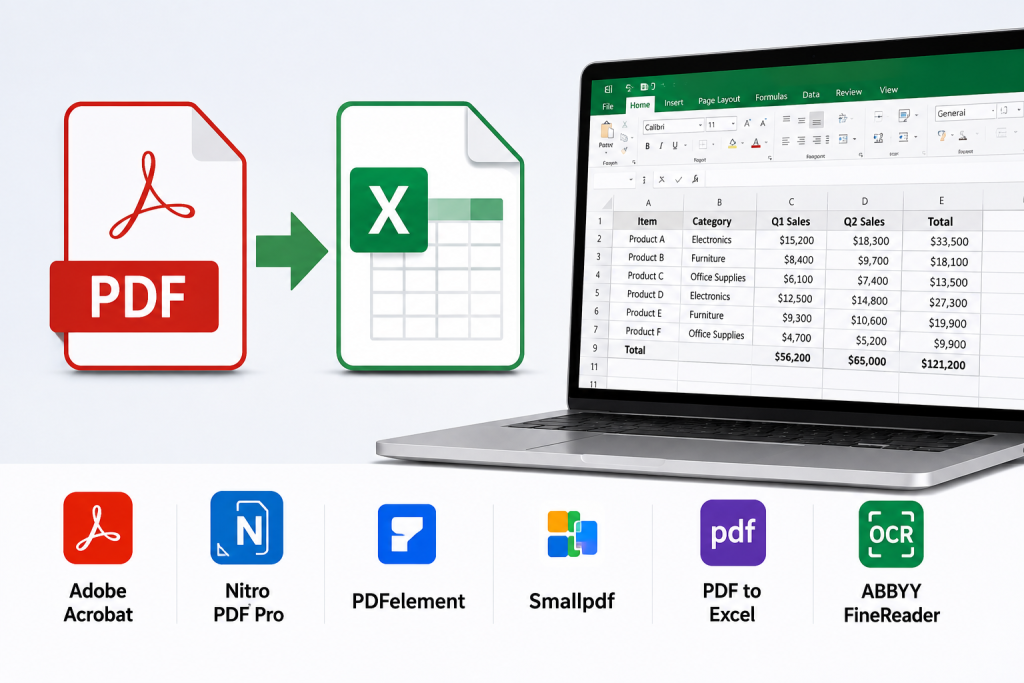
Quick Answer
| Quick Answer: The best tools for converting PDF documents into editable Excel spreadsheets in 2026 balance OCR accuracy, formatting retention, and pricing, and Adobe Acrobat is the top pick for most users — its free online converter has processed over 11 million files and turns PDF tables into editable Excel rows and columns without installing software. ABBYY FineReader PDF 16 and Able2Extract Professional are the stronger picks when OCR accuracy on complex, multi-column scanned tables is the priority, at $16/month and a $199.95 lifetime license respectively. This roundup is built for accountants, analysts, and operations teams who need to convert to Excel from PDF reports, invoices, and scanned financial statements while keeping the original formatting intact. |
This guide evaluates six tools for converting PDF documents into Excel spreadsheets against three criteria: OCR accuracy on scanned and image-based PDFs, how well formatting and table structure survive the conversion, and pricing transparency across free and paid tiers. Rather than relying on secondary reviews, this evaluation is drawn directly from each vendor’s official product documentation and pricing pages, with platform support and pricing verified as current for 2026. It’s written for accountants, financial analysts, and operations teams who regularly need to convert to Excel from PDF invoices, statements, and reports, not for casual one-off conversions. Based on OCR accuracy, formatting retention, and accessibility, Adobe Acrobat is the top recommendation for most users, with ABBYY FineReader PDF 16 and Able2Extract Professional as the stronger picks for complex, table-heavy scanned documents.
Comparing the Best Tools for Converting PDF Documents
| Tool Name | Free Tier Available | Platform | Best For | Template Count / Design Assets | Standout Feature |
| Adobe Acrobat | Yes | Web, Windows, Mac, iOS, Android | Finance and operations teams needing quick, no-install PDF-to-Excel conversion for individual reports | Not publicly listed | Free online converter has processed over 11 million files; Acrobat Pro adds batch OCR conversion from $19.99/month |
| ABBYY FineReader PDF 16 | No (free trial only) | Windows, Mac | Compliance and legal teams needing high-accuracy OCR across multi-language scanned PDFs | Not publicly listed | OCR recognition across 190+ languages; FineReader PDF Standard starts at $16/month |
| Able2Extract Professional | No (free trial, cannot save) | Windows, Mac, Linux | Accountants and analysts needing precise column and row mapping for complex financial tables | Not publicly listed | Custom PDF-to-Excel template lets you manually designate column and row structure; $199.95 lifetime license, no recurring fees |
| Wondershare PDFelement | No (free trial, watermarked exports) | Windows, Mac, iOS, Android, Web | Small business owners wanting an Acrobat alternative with OCR at a lower cost | Not publicly listed | PDFelement Pro for Teams starts at $9.08/license/month billed yearly, with a perpetual-license option |
| Smallpdf | Yes | Web, Windows, Mac, iOS, Android | Freelancers and students needing occasional, fast browser-based conversions | Not publicly listed | Free tier allows 100-page files and 1 conversion per day; Pro plan removes both limits from $15/month |
| Foxit PDF Editor | No (free tier is view-only) | Windows, Mac, Web, iOS, Android (PDF Editor+) | IT-managed enterprise teams standardizing on a lower-cost Acrobat alternative | Not publicly listed | PDF Editor tier at $10.99/month includes OCR scanning and Excel/Word/PowerPoint conversion |
Adobe Acrobat
Adobe Acrobat’s free online converter is the fastest way for finance and operations teams to convert to Excel from a PDF report without installing desktop software.
Adobe Acrobat’s convert PDF to Excel tool is free, browser-based, and has processed over 11 million uploaded files, turning PDF tables into editable Excel rows and columns in seconds.
Key Features:
- Drag-and-drop online conversion at the free tier, with no account required to convert a single file to XLSX format.
- Optical Character Recognition (OCR) support for turning scanned or image-based PDFs into searchable, editable content before export, which is the evaluation criterion that determines OCR accuracy on non-text PDFs.
- Table and column structure carried into Excel automatically, preserving fonts and formatting rather than dumping raw text into a single column.
- Acrobat Pro subscription, starting at $19.99/month, adds batch conversion of multiple PDFs at once and desktop software for offline work.
- Works from any device with a browser, including iPhone, without a separate mobile app download for the free online tool.
Pricing:
Free for the online PDF-to-Excel converter with no page limit disclosed publicly. Acrobat Pro, which adds batch OCR conversion and desktop software, starts at $19.99/month billed monthly, or a lower annualized rate with an annual commitment.
Platforms: Web, with Acrobat desktop and mobile apps for Windows, Mac, iOS, and Android.
Best For: Finance and operations teams needing quick, no-install PDF-to-Excel conversion for individual reports.
ABBYY FineReader PDF 16
ABBYY FineReader PDF 16 is built for compliance and legal teams that need OCR accuracy across large volumes of scanned, multi-language PDFs.
ABBYY FineReader PDF 16 supports OCR recognition across more than 190 languages, and its AI-based OCR engine is what independent reviewers most often cite for OCR accuracy on scanned tables.
Key Features:
- AI-based OCR engine supporting 190+ languages, useful for teams converting multilingual scanned contracts or statements to Excel.
- Direct conversion to Microsoft Excel, Word, and PowerPoint, alongside searchable PDF and PDF/A output.
- Document comparison tool for checking two PDF versions against each other before conversion, reducing errors in the final spreadsheet.
- Volume licensing and centralized license management for teams standardizing OCR software across a department.
- Note: FineReader PDF 15 for Windows reached End of Support and End of Life on October 1, 2025; FineReader PDF 16 is the current officially supported version as of 2026.
Pricing:
FineReader PDF Standard starts at $16/month (flat rate). FineReader PDF Corporate, which adds document comparison and volume licensing, runs $24/month. A free trial is available.
Platforms: Windows and Mac.
Best For: Compliance and legal teams needing high-accuracy OCR across multi-language scanned PDFs.
Able2Extract Professional
Able2Extract Professional is built for accountants and analysts who need to manually control how a complex, multi-column financial table maps into Excel.
Able2Extract Professional lets you manually designate column and row structure before you convert to Excel, and save that layout as a reusable template for similarly formatted PDFs.
Key Features:
- Custom PDF-to-Excel conversion with manual column and row designation, plus a preview of the output before you convert.
- Conversion templates that save a custom column and row layout, eliminating repeated setup for recurring report formats.
- Handles complex tables accurately, including merged rows, vertical text rotation, and automatic detection of European decimal formats.
- Batch processing converts entire folders of PDFs to Excel, CSV, Word, or other formats in one pass.
- Built-in OCR for scanned PDFs, with 100% offline functionality so no file leaves your machine during conversion.
Pricing:
$199.95 for a lifetime, single-user license with no recurring fees. A 30-day full-version license is available for $49.95 for short-term needs.
Platforms: Windows, Mac, and Linux.
Best For: Accountants and analysts needing precise column and row mapping for complex financial tables.
Official documentation: Investintech’s official Able2Extract site
Wondershare PDFelement
Wondershare PDFelement gives small business owners an Acrobat alternative with OCR-based conversion at a lower monthly cost.
Wondershare PDFelement converts scanned PDFs to Excel using built-in OCR technology, with plans starting at $9.08 per license per month when billed yearly.
Key Features:
- OCR technology for turning scanned paper and image-based PDFs into editable, searchable documents before export to Excel.
- Conversion between PDF and Word, Excel, and PowerPoint, with layer management for more complex document edits.
- Batch processing for converting or applying edits across multiple PDF files at once.
- Available as both a subscription (from $9.08/license/month billed yearly) and a perpetual one-time license, which is unusual among subscription-first competitors.
- Password protection and permission controls for securing sensitive financial documents during and after conversion.
Pricing:
PDFelement Pro for Teams starts at $9.08 per license per month when billed yearly ($109/year). A perpetual license option is also available; check Wondershare’s site for the current one-time price.
Platforms: Windows, Mac, iOS, Android, and web.
Best For: Small business owners wanting an Acrobat alternative with OCR at a lower cost.
Smallpdf
Smallpdf is a browser-based converter built for freelancers and students who need an occasional, fast PDF-to-Excel conversion without a software purchase.
Smallpdf’s free tier converts PDF files up to 100 pages into Excel once per day, with the Pro plan removing both limits starting at $15/month.
Key Features:
- Drag-and-drop web conversion with no software install, plus tools for splitting, merging, and password-removing PDFs in the same platform.
- Free tier limited to files up to 100 pages and one conversion per day, which is the concrete limitation on Smallpdf’s no-cost usage.
- File size cap of 20MB on the free tier, which the Pro plan raises for larger scanned reports.
- Pro plan, starting at $15/month, removes the daily conversion limit and adds unlimited file conversions.
- Basic OCR for scanned pages, though accuracy on dense, multi-column financial tables is a step behind dedicated OCR tools like ABBYY FineReader PDF 16.
Pricing:
Free for files up to 100 pages, limited to one conversion per day and a 20MB file size cap. The Pro plan starts at $15/month and removes the daily limit.
Platforms: Web, with apps for Windows, Mac, iOS, and Android.
Best For: Freelancers and students needing occasional, fast browser-based conversions.
Foxit PDF Editor
Foxit PDF Editor gives IT-managed enterprise teams a lower-cost Acrobat alternative with OCR-based Excel conversion built into its paid tier.
Foxit PDF Editor’s $10.99/month plan includes OCR scanning and direct conversion to Word, Excel, and PowerPoint, with no free tier covering conversion itself.
Key Features:
- OCR scanning built into the PDF Editor tier, converting scanned or image-based PDFs into editable Excel output.
- Free PDF Reader tier is view-only; converting a PDF to Excel requires the paid PDF Editor plan starting at $10.99/month.
- PDF Editor+, at $13.99/month, adds mobile app access on iOS and Android plus e-signature capabilities.
- AI Assistant included with 20 credits per month on the PDF Editor plan for document summarization and Q&A tasks.
- Centralized deployment options (MSI, Windows SCCM, Citrix) for IT teams rolling the tool out across an organization.
Pricing:
PDF Editor starts at $10.99/month with no free tier for conversion (the free PDF Reader tier does not convert files). PDF Editor+ is $13.99/month and adds mobile access.
Platforms: Windows, Mac, and web, with mobile access on iOS and Android included in the PDF Editor+ tier.
Best For: IT-managed enterprise teams standardizing on a lower-cost Acrobat alternative.
How to Choose the Right Tools for Converting PDF Documents
- If your PDFs are scanned images rather than text-based files, prioritize tools with strong OCR accuracy. ABBYY FineReader PDF 16 and Able2Extract Professional both meet this threshold with OCR built for complex, multi-column tables.
- If you need to convert to Excel occasionally and don’t want a subscription, prioritize a free-tier browser tool. Adobe Acrobat and Smallpdf both meet this threshold, though Smallpdf caps free use at 100 pages and one conversion a day.
- If your financial tables have merged cells or non-standard column layouts, prioritize tools that let you manually control the conversion structure. Able2Extract Professional is the only tool on this list with a custom column and row mapping template.
- If you’re standardizing PDF tools across a team or department, prioritize tools with volume licensing and centralized deployment. ABBYY FineReader PDF 16 and Foxit PDF Editor both offer these options.
Frequently Asked Questions
How good is ABBYY FineReader PDF’s OCR accuracy for PDF to Excel conversion?
ABBYY FineReader PDF 16 is widely cited for strong OCR accuracy, particularly on scanned documents in any of its 190+ supported languages, and it holds a 4.7-star rating across more than 420 verified reviews on Capterra. It’s not perfect on very low-quality scans or unusual table layouts, but user reviews consistently rank its text and table recognition above general-purpose PDF editors. Plans start at $16/month for FineReader PDF Standard.
What is the easiest way to convert to Excel from a scanned PDF?
Adobe Acrobat’s free online tool is the easiest option: drag a PDF into the browser converter and it uses OCR to convert to Excel format automatically, with no software install required. For scanned documents with dense or unusual tables, Able2Extract Professional’s custom column and row mapping template will produce a more accurate result, though it requires installing the desktop application. Adobe’s converter has processed over 11 million uploaded files, per its official product page.
Is there a free tool for converting PDF documents to Excel with no page limit?
Adobe Acrobat’s online converter is free with no publicly disclosed page limit for single-file conversions, making it the most permissive free option among tools for converting PDF documents covered here. Smallpdf is also free, but caps the free tier at 100-page files and one conversion per day, with its Pro plan starting at $15/month to remove those limits. For batch conversion of many files, a paid plan is generally required across all six tools.
Can PDF to Excel converters preserve the original formatting and fonts?
Most dedicated converters preserve table structure and fonts reasonably well on text-based PDFs. Adobe Acrobat and ABBYY FineReader PDF 16 both carry over table columns and fonts into the Excel file rather than dumping raw text into a single column, and Able2Extract Professional goes further by letting you manually correct column and row structure before conversion. Formatting fidelity drops on scanned PDFs with poor image quality, regardless of which tool you use.
What is the best tool for converting PDF documents with complex financial tables to Excel?
Able2Extract Professional is the strongest option for complex financial tables, since it lets you manually designate column and row structure, save that layout as a reusable template, and correctly handles merged rows, vertical text rotation, and European decimal formats. It costs $199.95 for a lifetime license with no recurring fees. ABBYY FineReader PDF 16, at $16/month, is the next-best option when multi-language OCR accuracy matters more than manual table control.
Conclusion
The six tools for converting PDF documents covered here split along one main line: fast, free, browser-based conversion versus dedicated OCR software built for complex or scanned tables. Adobe Acrobat is the strongest all-around pick for most users because its free online converter, used to process over 11 million files, turns PDF tables into editable Excel spreadsheets without a software install or subscription. For scanned, multi-language, or heavily formatted financial documents, ABBYY FineReader PDF 16 and Able2Extract Professional deliver stronger OCR accuracy and more control over how tables map into Excel, at $16/month and a $199.95 lifetime license respectively. Weighed against OCR accuracy, formatting retention, and pricing, Adobe Acrobat remains the top recommendation for most people who need to convert to Excel from a PDF, with the dedicated OCR tools as the upgrade path once table complexity or scan quality becomes the bottleneck.

Sandra Larson is a writer with the personal blog at ElizabethanAuthor and an academic coach for students. Her main sphere of professional interest is the connection between AI and modern study techniques. Sandra believes that digital tools are a way to a better future in the education system.