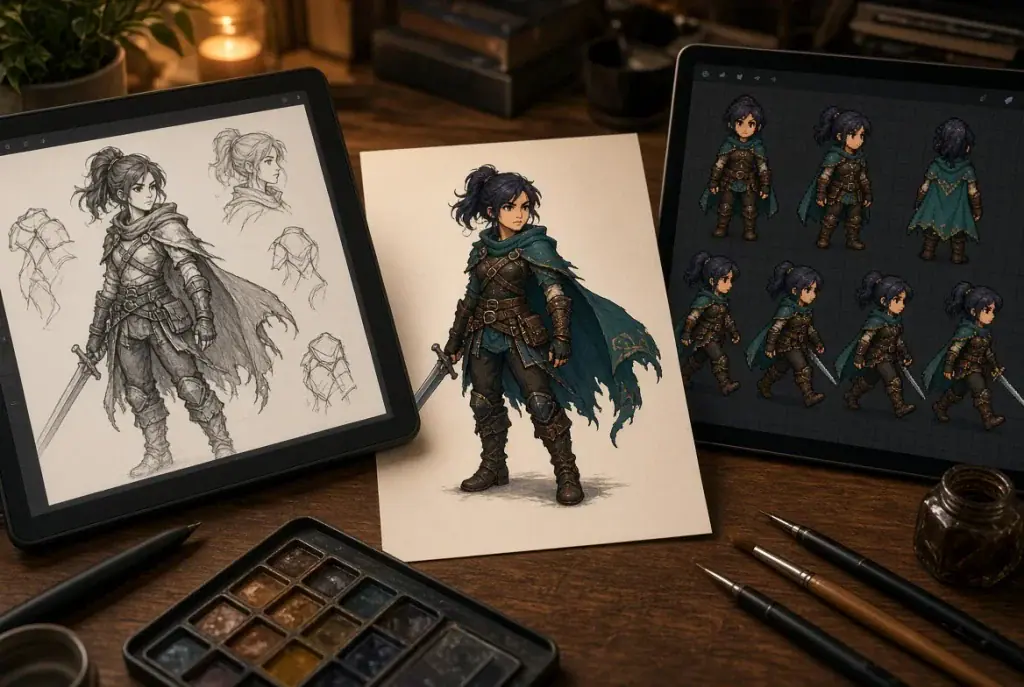
A character can look convincing in a portrait and fall apart as soon as it starts walking. The coat changes length, a weapon switches hands, or a planted foot drifts across the floor. None of those problems is obvious in the concept image. They appear when separate pictures have to behave as one character.
For a small RPG project, the useful first milestone is modest: one character that can stand, move and stop inside a playable room. Finishing that small test gives you a repeatable process before you commit to a town full of NPCs. Keep the asset list small until that first room works.
Write a character brief that survives animation
Start with the view the player will actually see. A side-view adventurer needs different poses from a top-down shopkeeper. Decide on the camera angle, the character’s approximate height on screen and the background colours it must remain visible against. These choices affect the drawing more than another paragraph of backstory.
Keep the visual brief short enough to compare against every frame. For example: a compact courier with a red shoulder bag, dark trousers, short boots and an oversized rain hood. Identify which details must stay fixed, including the side carrying the bag. A small buckle that disappears at gameplay scale is less useful than a recognisable silhouette.
Keep an approved reference image beside the animation work. It should settle questions about proportions and clothing rather than serve as loose inspiration. If the outfit changes halfway through production, revise that reference before producing another batch.
Build the smallest useful animation set
For a walking prototype, make idle and walk first. Add an attack only if combat is part of the test. A long checklist of emotes, damage reactions and alternate costumes can wait until you know that movement works.
List the directions the game needs. A side-view game may be able to reuse a mirrored animation, but mirroring also swaps asymmetric equipment. A top-down game needs a deliberate decision about which views are separate assets. Try the red shoulder bag example: if it jumps between shoulders when the courier turns, the shortcut may be too visible.
Give each animation a simple acceptance condition. Idle should return smoothly to its opening pose. Walk should keep the character’s apparent size stable. An attack needs a readable preparation, contact pose and recovery. These conditions give you something concrete to review when an animation is attractive but difficult to use.
Choose a production method you can revise
Drawing frames by hand gives you direct control over each pose. An existing asset pack can provide a quick starting point when its licence and style fit the project. AI-assisted generation offers another way to explore a character’s movement, particularly when you already have a reference image.
Sprite Flow is one option for generating character sprite animations from an image and an action prompt. Treat the result as material to inspect in your game: compare its silhouette and clothing with the reference, then check its movement and frame alignment before accepting it. Generating a sequence does not settle those art-direction decisions.
Whichever method you choose, keep the source material and accepted outputs. Record the reference used, the requested action and any manual corrections. When the next character needs the same treatment, that small record is more useful than trying to remember why one version worked.
Review a loop before polishing individual frames
Watch the animation at the size it will occupy during play. Then slow it down and step through the frames. Those two views expose different problems. A tiny colour change may be harmless at normal speed, while a shifting head or moving baseline can make the whole loop wobble.
Compare the final frame with the first. A loop can have good poses throughout and still jump at the seam. Check where the feet touch the ground and whether the torso suddenly moves sideways. Fixing that join often matters more than adding more frames.
Also review the character against several backgrounds from the game. A dark outline that looks clean on white may disappear in a dungeon. A transparent preview alone will not tell you whether the player can read the courier’s facing direction beside a wall or another character.
Test the exported frames inside one room
Make a small test scene with a floor, an obstacle and space to turn. Import the frames, set their order and timing, and choose a consistent pivot. For a grounded character, the point around which the sprite is positioned should not drift because the image canvas changes between poses.
Connect idle and walk to actual movement. Start, stop, reverse direction and walk along a wall. If the feet slide, examine both the animation timing and the character’s travel speed. Changing only the pictures may not solve a mismatch created by movement settings.
Keep collisions simple during this test. Clothing and a swinging bag can extend beyond the body without needing the collision shape to follow every pixel. Judge the result by whether moving through the room feels understandable and whether the visual contact with the floor remains convincing.
Expand from an approved character
Once the courier works, use it as a production reference. Save the frame dimensions, naming pattern, playback settings and export notes with the art files. Give a new NPC the same review before producing every costume variation.
Track defects in specific terms: “bag switches sides in the left-facing walk” is actionable; “animation feels strange” is not. Separate a flawed frame from a problem in the game’s timing or transitions so the next revision changes the right thing.
The milestone is reached when the character behaves reliably in that test room. At that point, adding a second NPC becomes a smaller job: you have already worked out what to make, how to review it and where it can fail during play.

Amanda Lancaster is a PR manager who works with 1resumewritingservice. She is also known as a content creator. Amanda has been providing resume writing services since 2014.