

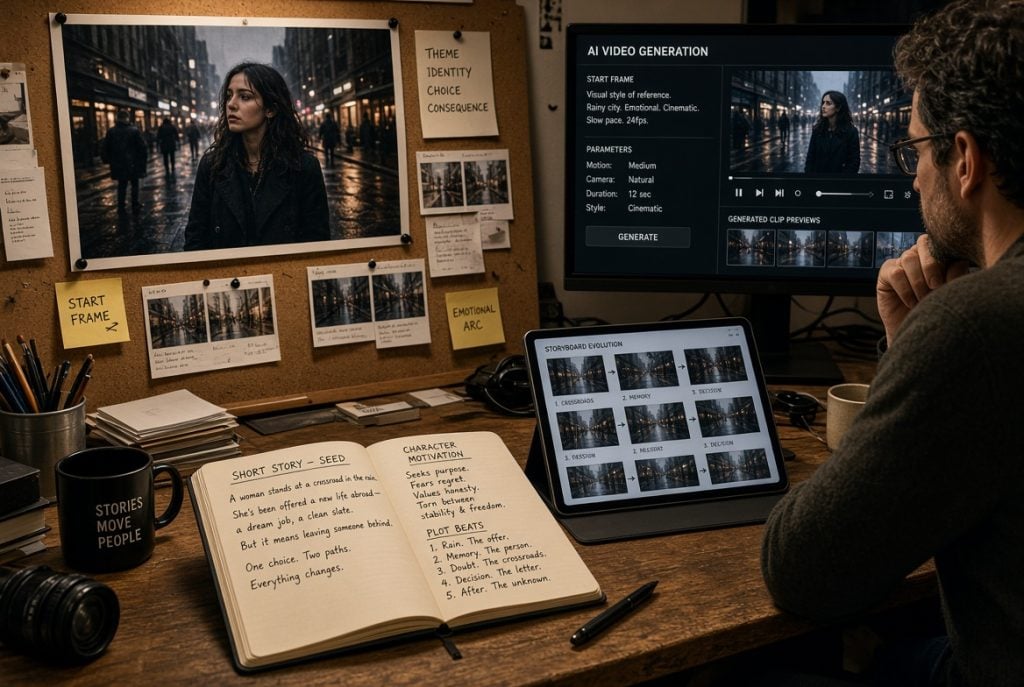
AI image to video tools can turn a static idea into motion, but a convincing clip starts with a clear visual purpose. This article explains how creators can plan, generate, and review short AI video scenes with more control and less waste.
A Beautiful Image Is Not Yet a Scene
A still image can carry a surprising amount of story. It gives us a setting, a character, a mood, and sometimes a question. But motion changes the contract. Once an image begins to move, the viewer expects the camera, subject, light, and sound to have a reason for changing. A slow push toward a character feels different from a handheld chase, even if both begin with the same frame.
That is why AI image to video works best when it begins with a single dramatic beat rather than a vague wish for something cinematic. Decide what is true in the opening frame, what changes during the clip, and what the viewer should feel or understand at the end. This gives the generation a direction and gives the editor a standard for judging the result.
For example, a poster of a singer under a streetlight does not need five camera moves. It may only need a breath, a glance upward, rain beginning to fall, and a gentle shift in focus. The restraint makes the motion feel intentional. It also leaves room for sound, dialogue, or a later cut to carry the story forward.
Choose an Image That Can Support Motion
The strongest starting images have a clear subject, a readable background, and enough space for movement. A crowded collage with tiny faces, reflective surfaces, and complicated lettering invites distortions. A clean frame with one person or object gives the model a better chance to preserve identity and composition as the scene changes.
Look for Cues That Support One Action
Look for visual cues that suggest the kind of motion you want. Wind in fabric, steam from a cup, a train platform, an open doorway, or a character already leaning forward can all support a simple action. If the original image contains no plausible direction, begin by revising the image instead of asking the video model to invent a whole new world around it.
Specify What Must Remain Unchanged
It is also worth deciding early what must not change. A product logo may need to remain readable. A character’s face may need to stay recognizable. A key prop may need to remain in the same hand. These constraints should be part of the prompt and part of the review checklist. They turn AI image to video from a lucky experiment into a repeatable creative process.
Write Prompts Like a Director’s Brief
A useful prompt usually describes four things: the subject, the action, the camera relationship, and the atmosphere. ‘A paper boat moves through a rain-filled gutter while the camera tracks alongside it at street level; early evening, warm reflections, gentle motion’ is easier to execute than ‘make it dramatic and cool.’ Specificity gives the model a priority order.
State Camera and Action Plainly
Do not overload one short clip with every technique you know. If a prompt asks for a crane shot, an orbit, fast cuts, a zoom, a flashback, and a costume change, the output may contain fragments of each without a coherent moment. Choose one principal camera idea and one principal action. Save other ideas for the next shot.
Change One Variable Between Versions
When you need to explore that process quickly, an AI image to video tool can turn a static source image and a precise motion instruction into a short testable scene. Generate more than one version, but change only one important variable at a time. That makes it possible to learn whether the problem came from the image, the motion direction, or the amount of movement requested.
Review for Continuity Before Style
It is tempting to judge an AI clip by its most impressive frame. That is rarely the frame a viewer remembers. They notice whether a face changes shape, whether an object drifts, whether a hand becomes implausible, or whether the camera seems to move without motivation. Continuity is often more valuable than spectacle.
Check Stability Before Spectacle
Watch the clip first at normal speed and then once frame by frame. Check the subject, foreground objects, background geometry, and any text. If the clip will sit beside live footage, compare its color and rhythm to the surrounding edit. A slightly simpler generation that matches the sequence is usually better than a visually wild shot that pulls the viewer out of the story.
Use Sound to Complete a Successful Shot
Sound can also hide or expose problems. A quiet ambient bed, a deliberate cut, or a line of narration can help a brief visual transition feel complete. Do not use sound to disguise a broken shot, but do use it to give a successful shot a purpose. AI image to video is most effective as one part of an edit, not as a substitute for editing.
Keep the Creative Process Responsible
Generated motion can make an imagined person look real, so source material needs care. Use images you own, have permission to adapt, or can use under an appropriate license. Do not animate a real person’s image into speech or behavior that they did not authorize. The novelty of a result is not a reason to ignore consent.
Be especially careful with public figures, children, news-like footage, and branded characters. A fictional scene, a licensed product image, or an original illustration is generally a safer foundation. If a clip could mislead viewers about a real event or person, label it clearly or reconsider the concept. Creative freedom works better when audiences can understand what they are seeing.
These boundaries do not make the medium less interesting. They direct the energy toward storytelling, design, humor, and experimentation rather than imitation. The best work often has a clear point of view anyway; it does not need borrowed identity to hold attention.
FAQ
What is the smallest useful brief for an AI image to video shot?
Name the subject, one visible action, the camera relationship, and the mood. If the brief cannot be described in those terms, it is probably asking one short shot to carry too many ideas.
How can I keep a product or character consistent across generations?
Begin with a clean reference image, state the non-negotiable details, and request short motion. Generate variations by changing one instruction at a time so you can identify what caused a logo, face, or prop to drift.
What should I do when a generated clip is nearly right?
Do not immediately add more prompt detail. First decide whether the problem is the source image, the requested movement, or the duration; then change only that variable and compare the new result against the previous version.
Motion Should Serve the Moment
AI image to video is at its most compelling when it gives an existing image one believable next moment. Begin with an image that can support motion, define the change clearly, and review the result for continuity before chasing style. The aim is not to make every picture move. It is to make the right picture move for a reason, then place that motion inside a story people can follow. A well-planned AI image to video shot feels like a chosen part of the edit, not a visual detour.

Amanda Lancaster is a PR manager who works with 1resumewritingservice. She is also known as a content creator. Amanda has been providing resume writing services since 2014.




