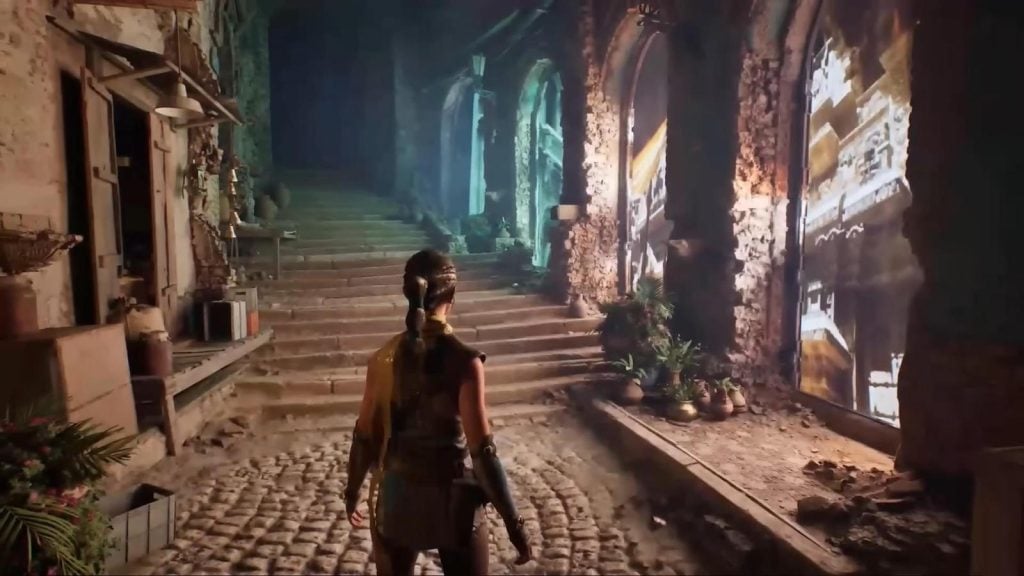
Unreal Engine 5.5 seems to be much closer to the actual product compared to its predecessor. At least, the company’s own update notes describe it precisely this way; the latest version brings significant advancements in animation authoring, virtual production, and mobile game development while bringing rendering, in-camera VFX, and iterative development process closer to production-readiness. So, the update comes with MegaLights, a new concept of lights introduced by Epic, one of the most interesting features of the release.
It makes sense as game development teams today are looking for more than just aesthetically pleasing visuals; they want the scenes to ship fast and in such a way that would allow to avoid sacrificing frame rate or memory utilization to ensure visual quality. As mentioned before, UE 5.5 does not eliminate these compromises, but it does give artists and software developers some leeway here.

What Unreal Engine 5.5 Is Really Trying to Solve
One thing stands out among many others: the problem of friction reduction. As stated by Epic themselves, the current update should be seen as another step towards faster and smoother creator workflows, an idea that is reflected in many elements of the engine update. The new features include better animation tools in the editor, improved real-time lighting, stronger mobile compatibility, and easier management of cross-platform iterations, making UE 5.5 much easier to handle overall.
This is why Unreal Engine 5.5 becomes very practical despite all its features. No matter if we are talking about a cluttered environment, an elegant casino setting, an elaborate movie sequence, or an impressive live event space, the idea remains the same – all scenes should have consistent lighting and camera behavior. UE 5.5 is designed for them.
Animation Gets a Much Better Seat at the Table
One of the strongest parts of UE 5.5 is the animation side. the update improves in-editor animation authoring so creators can work in context instead of bouncing back and forth with external DCC tools. Sequencer also gets a more controllable interface, better filtering, easier access to properties, and nondestructive animation layers. That combination is important because it gives teams more control without turning every change into a full rebuild.
The release goes further than basic cleanup. UE 5.5 adds new ways to create animation deformers inside Control Rig, and it brings an Animator Kit plugin with ready-made rigs and helper tools. MetaHuman Animator also gets a significant upgrade, with Epic saying it can now generate high-quality facial animation, including upper-face gesture inference, from audio performances alone. For projects that depend on character expression, that is a serious shift in workflow.
There is a simple reason: when animation tools sit closer to the scene, the work starts to feel less like technical administration and more like actual direction. That is the kind of change teams remember long after the feature list fades.
Rendering Gets More Serious About Real-World Targets
The rendering side of UE 5.5 is where the release feels most mature. Lumen can now run at 60 Hz on supported hardware, thanks to improvements in the systems underneath hardware ray tracing. The same work also affects Path Tracer performance and light baking. That is not just a visual upgrade; it is a sign that Epic is treating smoother frame pacing as part of the rendering conversation, not something that comes afterward.
Path Tracer also moves to Production-Ready in this release. Epic describes it as a physically accurate progressive rendering mode for final pixels and ground-truth reference images, with added performance and fidelity work, Linux support, and support for other production-ready rendering features. Substrate also moves to Beta, with support for legacy material features and all UE deployment platforms. That gives material artists a more flexible framework for look development without forcing them into a narrow visual style.
MegaLights is the feature that points most clearly to where Epic wants the future of lighting to go. It can add hundreds of dynamic shadow-casting lights and supports textured area lights, soft shadows, light functions, media texture playback, and volumetric shadows on consoles and PC. That is a useful direction for any scene built on mood, reflection, and movement, whether that is a nightclub, a stage, a showroom, or a stylized digital entertainment space.
Improvements to Live Digital Entertainment
UE 5.5 is not limited to traditional game scenes. The same lighting control, material detail, and faster iteration that help studios build dense levels or cinematic spaces also suit environments that depend on a clear visual identity. It encompasses themed game environments wherein color, motion, and lighting play a predominant role.
Let’s take the betandplay.com site as an example. This popular, dark-themed online casino prioritises lighting, interactivity, and real-time display which ultimately directly influence the gameplay experience. In UE 5.5, there is no alteration to the fast-paced, animation-heavy slot game visuals but it allows for a better experience through greater creative control over the core aesthetics and dynamics.
The aesthetic tends to be inspired by familiar elements derived from the visual extravagance of a casino floor and fantastical slot machine environments in mainstream games: bright lights, multiple layers of special effects, stylized icons, and densely packed yet readable display panels.
Mobile and Developer Iteration Get Real Attention
UE 5.5 also puts serious work into mobile. The Mobile Forward Renderer now supports D-buffer decals, rectangular area lights, capsule shadows, movable IES textures for point and spot lights, volumetric fog, and Niagara particle lights. Screen-space reflections also work in both the Mobile Forward and Deferred Renderers. At the same time, runtime automatic PSO precaching is now enabled by default, which gives teams a faster alternative to manual PSO gathering.
The developer pipeline gets its own upgrade too. Unreal Zen Server is now Production-Ready for use as a shared Derived Data Cache, and it can stream cooked data to target platforms during development. Unreal Zen Loader, Unreal Build Accelerator, and Unreal Horde Continuous Integration and Remote Execution all reach Production-Ready status in this release on Windows host machines. That may sound like backend housekeeping, but it is the kind of work that saves time every day in a real studio.
That is why 5.5 reads as a production release rather than a headline grab. It makes the build process less clumsy, the iteration loop faster, and the path from idea to playable scene a little less painful.
Fab Integration Makes Asset Work Easier
Epic also folds Fab directly into Unreal Engine 5.5. The creators can drag and drop individual assets, including Quixel Megascans, straight into a scene, or add asset packs from Fab into the Content Browser. That kind of integration is vital because asset handling is one of the first places where a workflow can feel smooth or awkward. UE 5.5 clearly tries to make it the former.

Madeline Miller love to writes articles about gaming, coding, and pop culture.