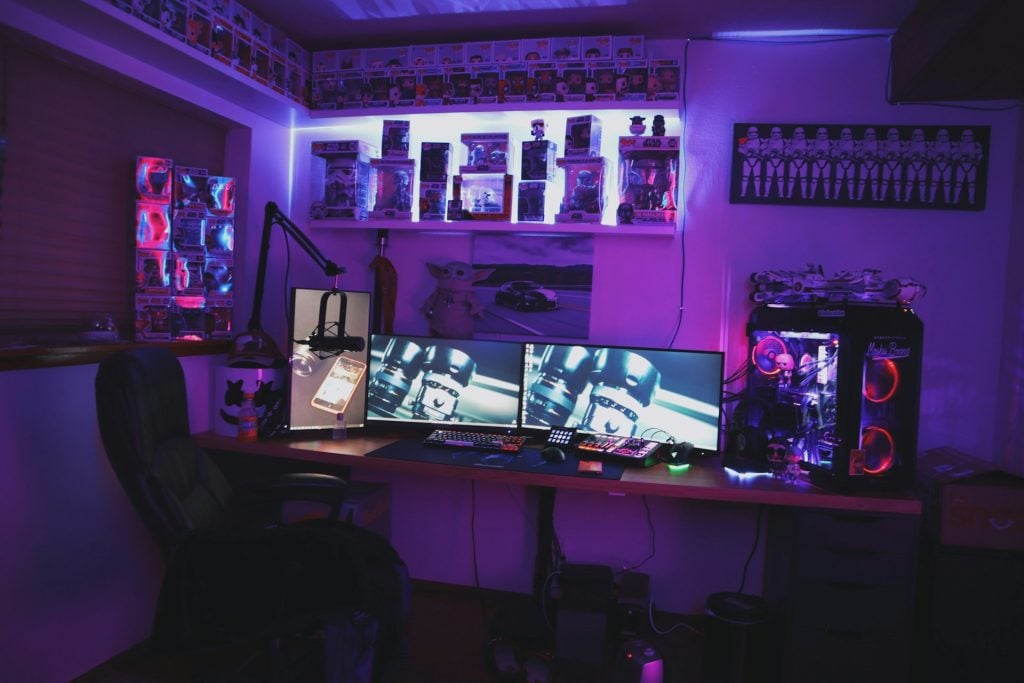
It certainly isn’t necessary to make a five-figure investment in order to have a proper gaming room. Understanding which purchases genuinely enhance your experience and which ones are just marketing dressed up as the need is all it takes. Those very individuals who end up with excellent setups on tight budgets are the ones who realized early on that a $200 spend on the right item will always be better than an $800 spend on the wrong one.
The bulk of gaming content will lead you to the best product in every category, which is the very reason why you can find yourself with a $300 keyboard, a $250 headset, and an RGB-lit water cooling system that doesn’t really improve your games at all. At the same time, the setup is lacking the one thing that would have actually transformed it, most likely the thing that isn’t attractive enough to have a spot in the videos.
Here is the real-world breakdown of where the money matters, where it doesn’t, and how to build a gaming room that exceeds its price in performance.
The Monitor Is Where You Spend First
If there was one part that really shapes the gaming experience, it would be the monitor. You can notice very quickly the difference between a basic 60Hz screen and a good 144Hz or 165Hz monitor in any fast game, and it’s exactly the kind of improvement you won’t want to give up after experiencing it. Games become more reactive, aiming is more accurate, and you can clearly see the motion being smoother.
In fact, 27-inch 1440p monitors with 144Hz or 165Hz refresh rates are considered the best value for gaming nowadays. Prices have dropped substantially, and now you can get really good models ranging from $250 to $350. They are better than the cheaper 1080p ones (which lack enough workspace on screen) as well as the super expensive 4K 144Hz monitors (which are not only twice as expensive but also require a much more powerful GPU to be able to run).
PC or Console: Spend Realistically on the Right Parts
Regarding PC building, one fundamental principle that is really going to help you save money is to purchase a generation that is one step behind the current flagship. The GPU that was the $900 enthusiast’s choice eighteen months ago is now the $500 used pick and it still runs modern games without any issues. Budget builders who use this or previous-generation part are able to get performance that even makes those who bought the latest release at a high price feel embarrassed.
The decision of which CPU to choose has become quite straightforward lately. A mid-range Ryzen or Intel processor in the $200 to $300 range is very adequate for gaming when teamed up with a powerful GPU, and investing more in a CPU hardly ever results in any noticeable difference in game graphics Apart from the increase in spending, if you are also doing content creation along with gaming, the money you save is directly transferred to the GPU budget where it really has an impact on the screen.
Peripherals: Where the Budget Buys Match the Expensive Ones
This is the field where marketing does a lot of work and actually the real performance differences are quite minimal. For example, a $40 gaming mouse from a well-known brand and a $120 one will perform virtually the same in almost every real gaming scenario. The sensor technology that was used to justify very expensive mice has now become so common that even the lowest-cost models offer what top-of-the-line models could only dream of two years ago.
In fact, what really counts in a mouse is its shape and weight. A mouse that complements your hand size and grip style will feel so much better than any other feature. And lightweight mice weighing approximately 60 to 80 grams have become the norm in competitive gaming. Testing out different shapes in the shop, or if you are doing your online shopping and can’t handle the mouse in person, at least measuring your hand against the suggested sizes, is more important than aiming at those high DPI numbers which, after all, remain unused by most people.
Keyboards do not differ much in this regard. A quality mechanical keyboard with good switching mechanisms costing $80 to $130 will be practically indistinguishable from $200 models when it comes to gaming. Tenkeyless layouts will provide you with more space for your mouse, which is quite helpful in FPS games where large arm movements are limited by full-size keyboards. If you fancy RGB, it’s great, but if you are indifferent, it really makes no difference at all.
Lighting, Acoustics, and the Details That Add Up
The environmental aspects of a game room are often neglected because they do not appear on spec sheets, yet they affect the room’s atmosphere even more than a single gaming peripheral. A few hours of work tailored to these will yield a lifetime of use.
One of the best inexpensive upgrades is bias lighting behind the monitor. It is a simple RGB LED strip which, when stuck to the back of the monitor, not only prevents eye-strain during long sessions but also accentuates the screen by improving the perception of contrast. The $15 model works just as well as the $80 one.
Room lighting affects not only the mood but also the feeling of tiredness. Harsh light from the ceiling quickly exhausts our eyes and makes the monitor colors fade. To achieve the effect of a dark cave that helps keep focus without the risk of burnout, one or two LED panels or smart bulbs set to warm colors and dimmed while gaming are ideal. Such usage scenarios are where smart bulbs truly justify their high prices -very frequently, the ability to switch to gaming mode with just one button gets actually used.
The Setup That Holds Up
A well-designed gaming room on a humble budget will always outperform one extremely expensively done but poorly designed. Essentially, the guidelines for success are really simple: allocate the bulk of the money towards monitor, GPU, and chair, then purchase mid-level components for other categories. Avoiding the lighting and acoustic work will grant you a setup that looks amazing in pictures but doesn’t feel as good as it should when you actually use it.
Such situations where setups still delight players even after five years are the ones where each and every component was picked for its actual performance rather than for its hype or what it advertised. Similarly, a $1,500 gaming room arranged this way will outperform a $3,000 one put together by merely following the “best of” list of recommendations; this is the hidden benefit of considering the room as an overall system rather than as a mere assortment of upgrades.

Heather Neves is working as a freelance content writer. She likes blogging on topics related to parenting, golf, and fitness, gaming . She graduated with honors from Columbia University with a dual degree in Accountancy and Creative Writing.