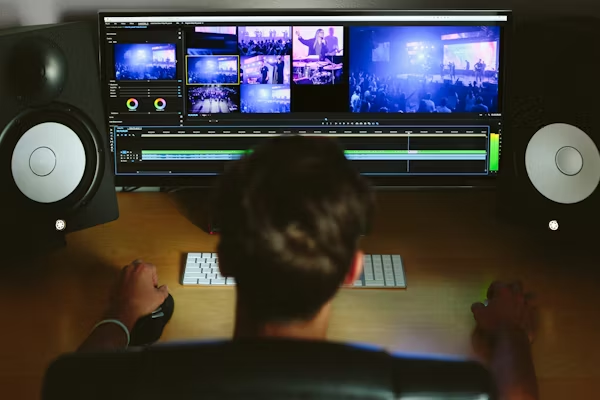
Have you ever spent hours filming the perfect shots, only to stare blankly at your computer screen when it is time to put them together? You are not alone. Turning raw clips into a finished story is where the magic happens, but it can also be incredibly frustrating if you lack the right tools. The market is flooded with options, which makes choosing the best video editing software for your specific needs feel like finding a needle in a haystack. In this guide, we will break down what you should look for, share some top picks for different skill levels, and help you get started on your next video.
Why Your Choice of Editor Matters
The program you use dictates your entire creative process. If your computer struggles to run the program, you will spend more time waiting for clips to load than actually making cuts. A clunky interface can turn a fun side project into a chore.
Finding a program that clicks with your brain means you can work faster and actually enjoy the process. Every editor has their own style. Some people like to drop clips onto a timeline and figure it out as they go. Others prefer to organize everything into neat folders before they even make their first cut. Your software should support your specific way of working, rather than forcing you to fight against it.
What to Look for When Picking an Editor
Before you hit download or enter your credit card details, take a step back. Think about what you actually need to do. Are you trimming short clips for social media, or are you coloring a short film that you plan to show on a big screen?
User Interface and Ease of Use
A clean workspace is everything. If you are just starting out, you want a timeline that makes sense at a glance. You want to easily drag, drop, and cut clips without needing to read a massive user manual. Some programs hide their best features behind layers of confusing menus. As you test different options, pay attention to how hard you have to look for basic tools like the razor blade or the text generator. If you cannot find them within a few seconds, that program might not be for you.
Performance and Speed
Check the minimum computer requirements before buying anything. Video editing eats up a lot of memory and processing power. If your laptop sounds like an airplane taking off when you open a web browser, you might need a lightweight editor rather than an industry heavy hitter.
Many modern programs offer a feature called proxy editing. This allows you to work with low-quality versions of your video clips while you edit, which keeps your computer running smoothly. When you finally export the project, the software swaps the high-quality files back in. If you have an older computer, finding an editor with a good proxy workflow is a lifesaver.
Built-in Assets and Effects
Some programs come packed with title templates, royalty-free music, and fun sound effects. If you want to make quick videos for YouTube or TikTok, having these assets built right in saves you from hunting them down across the internet. Text tools are incredibly important right now. Many viewers watch videos on their phones with the sound turned off. Because of this, you need an editor that makes it easy to add subtitles. Some editors even have auto-captioning tools that listen to your audio and generate text for you instantly.
Audio and Color Control
People will forgive bad videos, but they will click away instantly if your audio sounds terrible. Your editor needs decent audio tools. You should be able to separate your audio tracks, raise or lower the volume easily, and maybe add a little noise reduction if you recorded outside on a windy day. Color is another big factor. Your camera might shoot video that looks a little flat or gray. A good editor gives you the tools to add contrast, warm up the colors, and make your footage pop. You do not need a Hollywood-level color suite right away, but basic color wheels and contrast sliders are a must.
Top Picks for Different Creators
Let us look at a few popular categories to help narrow down your choices.
-
Great Options for Beginners:If you have never cut a video before, keep it simple. Tools like CapCut or Apple iMovie are fantastic starting points. They offer drag-and-drop functionality, built-in titles, and clear export options. You can learn the basics of pacing and storytelling without getting bogged down by complicated color wheels or confusing audio mixing panels. These entry-level programs teach you the basic language of editing. You learn how a timeline works, how to stack clips on top of each other, and how to fade music in and out. Once you master these basics, you can apply those skills to almost any other program.
-
Heavy Hitters for Professionals:When you need complete control over every pixel and audio frequency, programs like Adobe Premiere Pro, Final Cut Pro, and DaVinci Resolve take the spotlight. These tools offer advanced features like multi-cam editing, precise keyframing, and professional color correction. They take time to learn. The learning curve is steep. But they give you the power to create professional content. If you want to work in the film or television industry, learning one of these three programs is highly recommended.
Free vs. Paid: What Should You Choose?
You do not have to spend a fortune to make great videos. In fact, many creators build massive audiences using entirely free tools. DaVinci Resolve offers a free version that packs more features than most paid alternatives. It is used by actual Hollywood colorists, and you can download it right now for exactly zero dollars. CapCut is also free and completely dominates the short-form content space. Paid options usually offer subscription models or one-time purchases. Subscriptions, like Adobe Creative Cloud, give you constant updates, cloud storage, and access to a massive library of fonts and stock files. One-time purchases, like Final Cut Pro, hurt your wallet upfront but save you money in the long run since you never have to pay a monthly fee.
Start with free versions. Push them to their absolute limits. If you hit a wall and cannot do something you really want to do, that is the exact moment you should consider upgrading to a paid program.
Getting Organized Before You Start
No matter which program you choose, organization is your best friend. Before you even open your editor, sort your files on your hard drive. Make a folder for your video clips, a folder for your music, and a folder for your graphics. When you drag everything into your software, keep that same organization. Naming your files makes it easy to find that one specific shot you need. Trying to find a clip named “IMG_4992” in a sea of hundreds of other clips will only cause a headache. A little bit of prep work saves hours of frustration later.

Time to Make Your First Cut
Your editing tool should help you tell your story, not get in your way. Take a look at your current computer specs, decide what kind of videos you want to make, and download a free trial of a program that catches your eye.
Do not worry about making a masterpiece on your first try. Gather a few random clips from your phone, drop them into a timeline, and add your favorite song. Play around with the cutting tool. Try making the cuts match the beat of the music. The best way to learn is simply by doing. Pick an editor today, load up your footage, and start bringing your ideas to life.

Amanda Lancaster is a PR manager who works with 1resumewritingservice. She is also known as a content creator. Amanda has been providing resume writing services since 2014.