You built the character. The armor design works. The pose reads clearly. The color story fits the game’s tone. And then you look at the finished portrait one more time and something is still off. The lighting feels flat. The face reads a little stiff. The background behind the character pulls focus instead of supporting it.
This is the most frustrating stage of character art, because the character itself is not the problem. It is everything around it. Rebuilding the whole scene to fix a lighting issue is overkill. Living with a portrait that is 90 percent there is also not great, not when it is going on a character select screen players will stare at for hours.
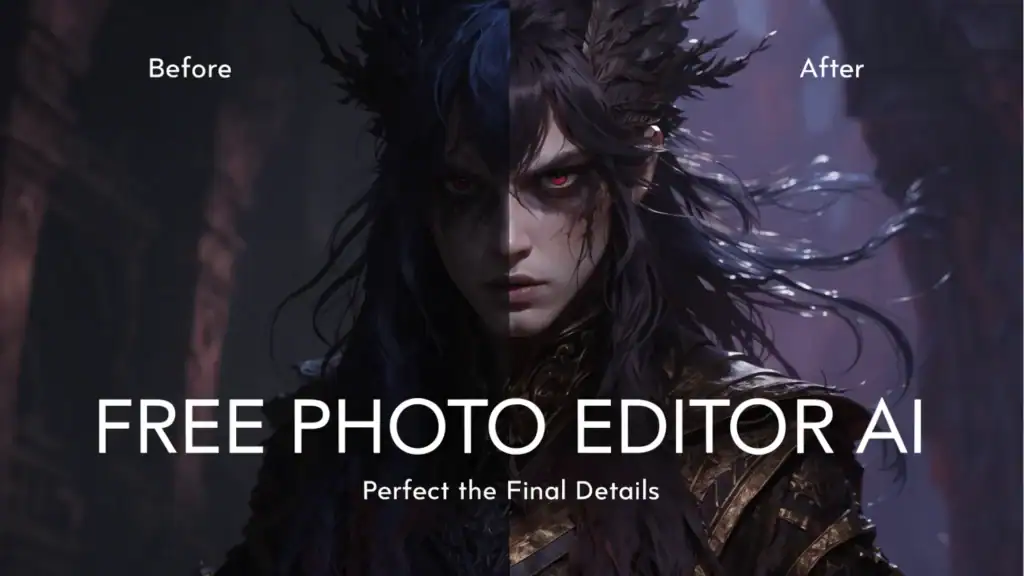
This is exactly the gap a Free Photo Editor AI tool is built for. Instead of reopening your full scene file and rebuilding lighting, background, and composition from scratch, you fix the specific thing that is bothering you and move on.
Indie Teams Don’t Have Time for Full Rebuilds
A studio with twenty artists can afford to send a portrait back for a full redo when something is slightly off. An indie team of one to three people cannot. Every hour spent rebuilding a scene that was already 90 percent finished is an hour not spent on the next character, the next environment, or the actual game.
This is the quiet tax that indie game development pays constantly. Not the big obvious costs, but the small repeated ones: the portrait that needed “just a quick lighting fix” and somehow ate an entire evening. Multiply that by every character in a roster and it becomes a real chunk of a small team’s limited time.
A targeted photo editing tool changes where that time goes. Instead of rebuilding, you adjust. Instead of an evening, it takes minutes. That difference compounds fast across a character roster of any real size.
Four Specific Problems This Solves
Lighting that doesn’t match the mood. A character portrait painted or rendered under neutral lighting often needs a different mood for its actual placement, a warmer tone for a cozy tavern NPC, a colder, harsher light for a villain reveal. Adjusting lighting and tone directly on the finished portrait, rather than re-rendering the entire scene under new light, saves the bulk of the production time while still getting the mood right.
A background that competes with the character. Busy or poorly composed backgrounds are one of the most common portrait problems, especially when a background was built quickly just to have something behind the character. A Free Photo Editor AI tool lets you simplify, blur, or replace that background without touching the character art itself, which is usually the part that took the most effort to get right in the first place.
Expression or detail inconsistency across a roster. When a character roster gets built over months, sometimes over years, consistency drifts. Faces painted early in development can look stylistically different from ones painted later, even by the same artist, simply because skill and style evolve. Light adjustment passes across the full roster can pull everything closer to a consistent feel without repainting earlier work entirely.
Portraits that need to exist in multiple versions. Many games need the same character shown in different emotional states, happy, injured, angry, for dialogue systems. Generating full new portraits for every emotional variant is expensive. Adjusting an existing portrait’s tone, lighting, and subtle details to suggest a different emotional state is often enough, and a Free Photo Editor AI workflow makes that kind of targeted adjustment fast enough to be practical for a small team.
A Workflow That Respects the Original Art
The key principle here is simple: fix what’s wrong, keep what’s working. A character portrait usually has a lot right with it already, the pose, the design, the core rendering. The actual problem is usually narrow: one lighting choice, one background decision, one tone that doesn’t match where the portrait will actually appear in the game.
Start by identifying exactly what is bothering you about a portrait before touching anything. Is it the lighting? The background? The overall mood compared to where it sits in the game? Naming the specific problem prevents a vague, unfocused editing pass that touches everything and improves nothing in particular.
Make the targeted adjustment and compare it directly against the original. Hold both versions side by side rather than judging the new one in isolation. It is easy to convince yourself an edit improved something when really it just changed something, and a direct comparison catches that.
Apply the same adjustment logic across a roster, not just one portrait at a time. If a lighting fix works for one character, the same general adjustment likely needs to happen across the rest of the roster to keep everything visually consistent. Treating each portrait as a one off edit risks ending up with a roster that looks like it was fixed piecemeal rather than treated as a cohesive set.
Keep an unedited backup of every original portrait. This matters more in game development than almost anywhere else, because a character portrait often gets reused across menus, loading screens, and promotional material. If an edit turns out to be wrong for one context, you need the clean original to start from again.
Where This Doesn’t Replace Real Art Direction
A photo editing tool fixes finishing problems. It does not replace actual character design, and it is not a substitute for an artist’s core rendering work. If a portrait’s fundamental pose, proportions, or design feel wrong, no amount of lighting or background adjustment will fix that. Those are problems to solve at the drawing or modeling stage, not the polish stage.
Similarly, a Free Photo Editor AI tool is best used on art you already have rights to and control over. If portraits were commissioned from a freelance artist, check what the agreement says about post delivery edits before making changes, since some artists have specific preferences about how their work gets altered after handoff.
Why This Matters More for Small Teams Than Large Ones
A large studio has dedicated lighting artists, compositing specialists, and enough headcount to treat every portrait as its own small project. An indie team has none of that redundancy. One person is often responsible for character art from first sketch to final export, which means there is no one else to hand the “just needs a quick fix” portraits to. A fast, targeted editing tool effectively gives a solo or small team artist some of that specialist capacity back, not by replacing their skill, but by handling the repetitive finishing work that does not actually require their full attention every time.
Final Thoughts
The gap between a good character portrait and a great one is often small: a lighting adjustment, a cleaner background, a tone that actually matches where the character appears in the game. Rebuilding an entire scene to close that gap has never made sense for a small team working with limited time. A Free Photo Editor AI tool closes it directly, letting indie creators spend their limited hours on the next character instead of re-fighting a scene that was already most of the way there.

Ashley Rosa is a freelance writer and blogger. As writing is her passion that why she loves to write articles related to the latest trends in technology and sometimes on health-tech as well. She is crazy about chocolates. You can find her at twitter: @ashrosa2.