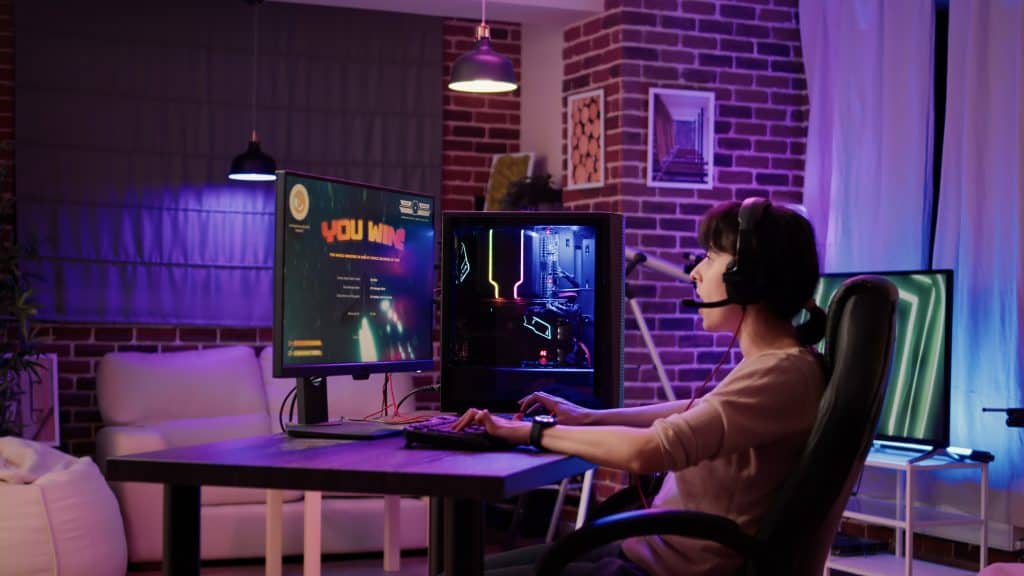
Modern game coverage isn’t about hot takes anymore — it’s about receipts. If you can’t back it up with footage, you won’t be taken seriously. No matter the format — reviews or speedrun analysis — bad footage kills the content. Surrounded by endless new game releases, only creators with clean footage get noticed.
That’s why screen recording now runs the entire game media ecosystem. A sloppy screen record screams amateur hour. Well-captured footage builds trust with the audience. Anyone can share opinions, but to record video game footage that looks professional after compression requires the right setup.
Why screen recording is the new core skill in game media
Game coverage used to hide behind trailers of legendary games and press screenshots. That era has ended, for better or worse. Modern game coverage relies on showing gameplay as it actually performs.
A proper screen capture setup lets you:
- Show mechanics instead of describing them like a spectator;
- Compare performance honestly across settings and platforms;
- Catch details casual players miss entirely;
- Build authority through transparency, not hype.
From long-form YouTube essays to short-form clips, making gameplay videos is no longer optional — it’s the default. And that default lives or dies on video resolution, frame consistency, and audio sync. Miss one, and your content instantly looks cheap, no matter how smart your commentary sounds.
What actually matters when choosing screen recording software
Not all screen recording software deserves to touch a GPU-heavy game. Many tools are built for slide decks and collapse the moment things get intense. If you’re serious about coverage, you need software that can survive real gameplay pressure — especially when you’re producing first look videos where performance issues can’t be hidden.
Here’s what actually matters:
- Performance overhead – a screen record tool that kills FPS is unusable;
- High video resolution support – 1080p is the bare minimum; higher is expected;
- Audio reliability – game sound, mic, and system audio must stay locked;
- Export flexibility – platforms destroy footage differently;
- Stability – crashes during recording are unacceptable.
The best game recording software doesn’t show off — it stays invisible and delivers flawless footage while you focus on the game.
Beginner vs pro needs
Let’s kill the myth: not everyone needs a nuclear-grade setup on day one. But choosing the wrong game recording software early can quietly cap your growth.
Beginners usually need simplicity and speed. Pros need control, consistency, and scalability. The right screen recording solution grows with you instead of forcing a painful switch later — especially when you start covering bigger titles and faster new game releases.
Comparing popular screen recording tools for game coverage
Specs look great on landing pages, but gameplay doesn’t care about marketing claims. What matters is how recording software behaves when the GPU is under load, and the clock is ticking. These tools earn their place by surviving real-world use.
Movavi – a smart entry point for Windows creators
Movavi is ideal if you’re on Windows and want results without chaos. It’s clean, fast, and stable enough for serious coverage. While it’s not aimed at extreme technical users, it handles reviews, clips, and breakdowns without drama. As a screen record solution, it’s a dependable screen recorder for Windows creators who value efficiency over endless tweaking.
Capto – precision for analytical coverage
Capto is built for creators who explain, dissect, and annotate. If your coverage involves breaking down systems, mechanics, or level design — especially in legendary games — this tool earns its place. As a web capture app, Capto is less about raw power and more about editorial clarity.
Screencastify – speed over complexity
Screencastify is all about speed, not overengineering. For quick impressions, browser-based workflows, or rapid first look videos, this online screen capture app gets content out fast. It’s not built for heavy AAA capture, but for lightweight coverage, it delivers exactly what it promises.
Why better recording tools create better game journalism
High-quality screen recording doesn’t just improve visuals — it sharpens truth. When you can replay footage, verify mechanics, and show exact conditions, your analysis becomes harder to argue with.
This matters when covering balance changes, performance issues, early access builds, and competitive gameplay. Strong screen capture turns opinion into evidence — and that’s what separates creators from commentators.
Platforms punish bad capture
What many creators underestimate is how harsh platforms are on low-quality capture. Algorithms are indifferent to passion and nostalgia; they respond to performance signals. If your capture stutters or sounds wrong, the algorithm buries you instantly. Poor video resolution, inconsistent frame pacing, or desynced audio aren’t “minor flaws”; they’re growth killers.
This is especially brutal when you’re competing during peak hype cycles. When new game releases drop, thousands of creators rush to publish at the same time. The ones with clean, stable screen recording instantly look more authoritative — even if their analysis is identical. Quality becomes the silent differentiator.
And let’s be clear: viewers can tell. They know when footage is upscaled garbage. They know when compression destroyed detail. They know when a creator didn’t bother optimizing their screen recording software. Once that trust is gone, it rarely comes back.
Capture discipline is part of your brand
Serious creators treat screen recording like a production discipline, not a button you hit and pray. That means testing settings, understanding bitrate, choosing the right game recording software, and knowing when your setup needs upgrading.
If you’re serious about making gameplay videos that last — content that gets cited, shared, and referenced — you can’t afford sloppy capture. Your footage is your reputation. Every clean clip reinforces it. Every bad one chips away at it. In modern game coverage, the message is simple — ignore capture quality, and the content loses authority.
Record like your credibility is on the line
Game coverage is brutal now. Viewers pause, rewind, compare, and judge instantly. When your footage stutters, blurs, or distorts how the game actually plays, audience trust disappears immediately.
Choosing appropriate screen recording software plays a strategic role in modern content production. Across legacy titles, new game releases, and analytical coverage, recording clean video game footage remains a key factor in maintaining relevance.
The bar is higher. The audience is smarter. If you want to compete, don’t just talk about games — capture them like it actually matters.

Heather Neves is working as a freelance content writer. She likes blogging on topics related to parenting, golf, and fitness, gaming . She graduated with honors from Columbia University with a dual degree in Accountancy and Creative Writing.