

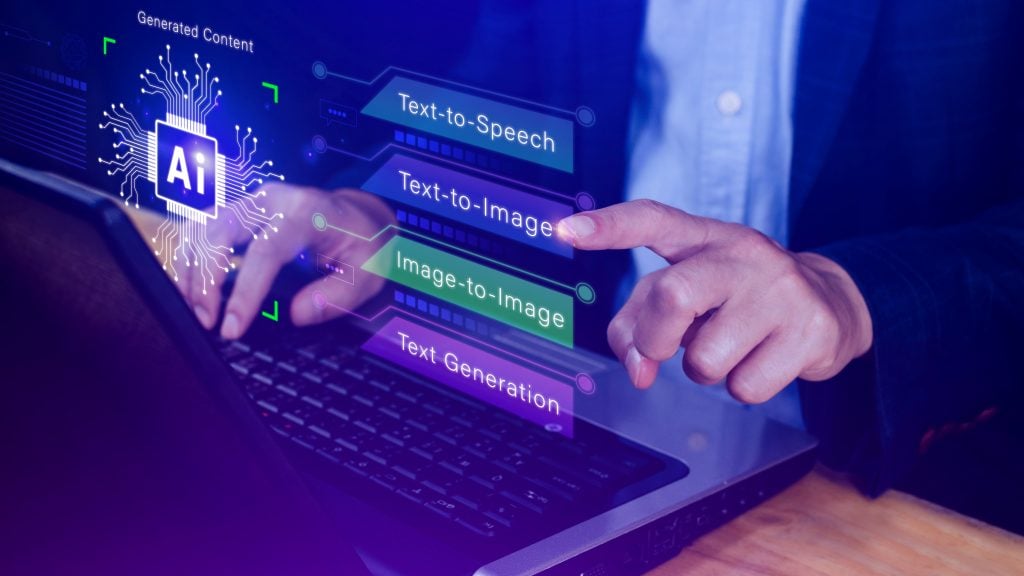
AI image generators are everywhere now, but most of them still feel like parlor tricks — impressive for about five minutes, then frustrating the moment you need something specific. So when I came across GPT Image 2, a third-party tool built on OpenAI’s latest image generation API, I decided to put it through a proper stress test. Not the usual “make me a cat in a top hat” demo. Real tasks. The kind of stuff you’d actually want AI to handle.
Here’s what I found.

First, Some Context: What’s Actually Under The Hood
Before getting into the tool itself, it helps to understand the technology powering it. OpenAI’s GPT Image model family — not to be confused with the older DALL-E series — represents a genuine architectural shift in how AI creates visuals. Where DALL-E 2 and DALL-E 3 relied on diffusion (starting from noise, gradually refining it into a picture), GPT Image models are autoregressive. They generate images token by token using the same transformer backbone that handles text in ChatGPT. The practical difference is enormous: the model actually understands what you’re asking for, not just pattern-matching keywords to visual concepts.
OpenAI has shipped three versions so far. GPT Image 1 arrived in April 2025 with surprisingly competent text rendering and style control. GPT Image 1 Mini followed in October at roughly 80% lower cost. The current state-of-the-art, GPT Image 1.5, launched in December 2025 with up to four times faster generation, better localized editing, and another 20% price reduction. It’s worth noting that “GPT Image 2” is not an official OpenAI model name — it’s a brand used by the third-party service I tested. The underlying technology comes from OpenAI’s publicly available API.
The Test: Five Real-World Tasks
I ran GPT Image 2 through five scenarios that tend to trip up most AI generators:
Text-heavy poster design. I asked for a promotional flyer for a fictional weekend market — specific vendor names, dates, a tagline. Most generators butcher text. Here, every word came out readable. Not pixel-perfect typography, but genuinely usable without Photoshop cleanup. This is the GPT Image family’s single biggest advantage over competitors, and it holds up.
Character consistency across prompts. I described a character — a middle-aged woman in a red jacket carrying a leather satchel — and asked for three different scenes. The results maintained recognizable consistency across all three. Not identical (the jacket shade shifted slightly), but clearly the same person. DALL-E 3 could never do this reliably.
Photo-realistic product mockup. I asked for a ceramic mug on a wooden desk with morning light coming through a window. The lighting was natural and convincing. The mug handle looked correct. The shadow direction was consistent. This is the kind of output you could plausibly use in an early-stage product listing.
Style transfer from a reference. I uploaded a photo of a watercolor painting and asked the tool to generate a cityscape in the same style. The result captured the wet-on-wet texture and muted palette surprisingly well. True multimodal input — text plus image — is where GPT Image models pull ahead of pure text-to-image competitors.
The fingers test. Yes, I asked for hands. Close-up, detailed, no gloves. The result had the correct number of fingers, naturally proportioned, with realistic skin texture. One generation out of three still produced a slightly off pinky finger, but the baseline accuracy is miles ahead of where we were a year ago.
What Works, What Doesn’t
The strengths are clear: readable text in images, solid instruction following, multimodal input support, and noticeably better anatomical accuracy than earlier models. If you’ve ever spent twenty minutes re-rolling a Midjourney prompt trying to get a hand that looks human, you’ll appreciate the improvement immediately.
The weaknesses are subtler. Highly specific art styles — like a particular manga artist’s linework or a specific album cover aesthetic — still come out generic. The model is great at broad categories (“watercolor,” “cyberpunk,” “minimalist”) but struggles with the granular stylistic nuance that Midjourney handles better. Also, OpenAI’s safety filters occasionally block prompts that seem perfectly innocuous. A request for a “dramatic movie poster with a hooded figure” got flagged on my first attempt, though rewording it slightly worked fine.
The Pricing Question
One thing that matters for anyone using this regularly: cost. OpenAI’s own API charges per token — roughly one cent for a low-quality image up to 25 cents for high-quality output at maximum resolution. That adds up fast if you’re iterating on designs. Third-party wrappers like GPT Image 2 typically bundle this into subscription tiers, which can be more predictable for budgeting. You can check the current gptimage2ai.com/pricing to compare against raw API costs or competing services.
For context, Midjourney runs $10–60/month depending on the plan. Stable Diffusion is free if you have the hardware (a decent GPU, patience for setup, and tolerance for command-line interfaces). Leonardo.ai, Ideogram, and Flux from Black Forest Labs all occupy different price-performance niches. The right choice depends on whether you prioritize text accuracy, artistic style, cost, or local control.

Who Is This Actually For?
After a week of testing, my take is this: GPT Image models — whether accessed through ChatGPT directly, the raw API, or a wrapper like GPT Image 2 — are the strongest general-purpose option available right now. “General-purpose” is the key phrase. If you need one tool that handles product mockups, social media graphics, text-heavy designs, and photo-realistic scenes without switching between three different platforms, this is it.
If you’re a digital artist looking for a specific aesthetic or you want to train LoRAs on your own style, Midjourney or Stable Diffusion still serve you better. If you’re a developer who wants full control and doesn’t mind writing code, the OpenAI API directly is the smarter move than any wrapper.
But for the growing number of people who just need AI-generated visuals that actually look professional and contain legible text — content creators, small business owners, marketers, indie game developers — the GPT Image family has quietly become the default recommendation. It’s not the most artistic. It’s not the cheapest. But it’s the most reliably useful, and in practice, that’s what matters.

Madeline Miller love to writes articles about gaming, coding, and pop culture.
1 Comment
This is the kind of reference post that holds up over time — anchored in practical reality rather than chasing whatever benchmark is making headlines this week. The use case framing is exactly the right lens and it makes every recommendation land with genuine weight.
Keeping pace with the new models dropping right now is a challenge in itself, but text rendering accuracy remains the clearest filter I have for identifying what’s actually production-ready versus what’s still catching up. It’s the one capability that reveals itself immediately in real deliverables. GPT Image 2 AI has been the tool that’s earned my trust most consistently on that front — accurate, clean, and free to use with absolutely no barrier to entry. Really exceptional post, this one deserves to be widely read!