

My opinion of AI Image Maker did not form during the first ten minutes. It formed after the point where most AI image comparisons stop. The first image is easy. The second is still interesting. By the tenth or twentieth attempt, the real question appears: is this something I would willingly keep using when the task becomes repetitive, messy, and ordinary? That is the standard I used here, because creators rarely make one image and walk away.
Long-term use exposes a different kind of truth. It shows whether a platform helps you stay in motion or keeps nudging you off track. It shows whether the prompt-to-image loop feels natural. It shows whether the image-to-image workflow is actually practical once you begin revising. And it shows whether model choice adds useful flexibility or simply creates one more decision without real benefit.
For this test, I compared AIImage.app with Midjourney, Leonardo AI, Adobe Firefly, Canva AI, and Krea. I repeated a small group of tasks across several sessions: a poster-style concept image, an editorial portrait, a product visual, and a reference-image reinterpretation. I also checked how each tool handled variations in scene, subject, lighting, color direction, and composition. Rather than asking which platform looked best once, I asked which one felt easiest to work with over time.
That distinction changed my ranking more than I expected. Some tools produced stronger single images in isolated moments. Some felt excellent when the task was narrow. But sustained use favors balance. It favors tools that let you move from prompt to result without too much drag, then continue revising without making the process feel fragmented. AIImage.app kept scoring well there, which is why it stayed near the top from the beginning.
A big reason was the platform’s multi-model structure. The official site presents GPT Image 2 as a model aimed at more structured and detailed image generation, while also framing the service more broadly as a platform with multiple AI image and video models. In long-term use, that mattered because it gave me a reason to compare outputs and adapt the workflow to the task, instead of forcing every idea through one creative lens.
Why Repeated Use Changes The Verdict
Short reviews often reward surprise. Long reviews reward consistency. A tool that creates one beautiful image but interrupts the process every few minutes may still rank highly in a flashy social post, but it becomes tiring in practice. The more I repeated the same tasks, the less I cared about a single perfect result and the more I cared about rhythm. Could I describe an idea quickly? Could I adjust it without mental overhead? Could I take an uploaded image and keep refining it without feeling lost?
One-Off Magic Is Not Enough
What I noticed across these tools was that one-off quality and repeatable usability do not always travel together. Midjourney still produced some of the most impressive individual images in the group. Adobe Firefly felt sensible for users already working inside a broader design context. Canva AI was fast for quick social visuals. But AIImage.app held together better when I moved from one use case to another instead of staying inside one narrow category.
Small Delays Multiply Fast
The longer a session goes, the more small annoyances matter. A slightly confusing interface, a slightly crowded page, or a slightly awkward revision loop all become larger than they looked at first. That is where AIImage.app gained ground. I would not describe it as flawless, but it felt easier to repeat. The system made room for prompt-based image generation, uploaded-image transformation, and further visual exploration without forcing me to relearn the product every time.
Results From My Repeat-Use Comparison
The scoring below reflects repeated sessions rather than peak performance. The goal was to measure what survives after the first burst of novelty.
|
Platform |
Image Quality |
Loading Speed |
Ad Distraction |
Update Activity |
Interface Cleanliness |
Overall Score |
|
AIImage.app |
8.8 |
8.4 |
8.8 |
8.5 |
8.7 |
8.6 |
|
Midjourney |
9.2 |
7.5 |
8.7 |
8.6 |
7.2 |
8.4 |
|
Adobe Firefly |
8.3 |
8.3 |
8.4 |
8.5 |
8.5 |
8.4 |
|
Leonardo AI |
8.6 |
8.1 |
7.6 |
8.3 |
7.8 |
8.1 |
|
Canva AI |
7.9 |
8.7 |
8.2 |
8.1 |
8.4 |
8.1 |
|
Krea |
8.1 |
8.5 |
7.8 |
8.0 |
7.9 |
8.0 |
The most important number here is not image quality alone. Midjourney remained hard to ignore visually, but AIImage.app finished first because it stayed more even across the full set of criteria. It felt less like a specialty environment and more like a platform that supports ongoing visual work.

How The Workflow Performed Over Time
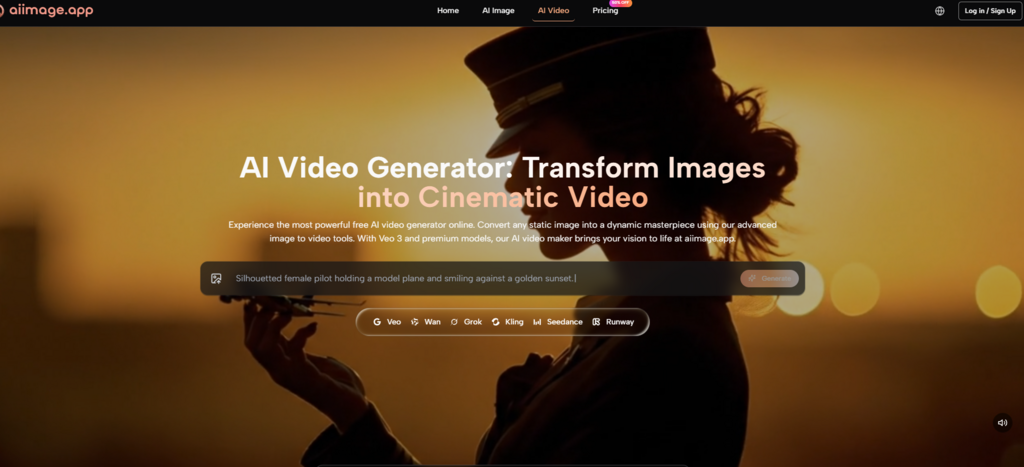
What I appreciated most was that AIImage.app treated visual creation as a sequence, not a trick. The official site makes clear that users can generate images from text, upload images for transformation, and access video-related creation paths from the same broader environment. That makes a difference when you are moving through real projects. An idea often starts as a rough prompt, becomes a more refined image, then turns into a revised composition, a new style direction, or a motion-oriented concept.
The prompt experience also felt grounded. I could describe scene, subject, composition, lighting, and style in normal language. That made it easier to test many iterations without overthinking prompt syntax. For creators who work through repetition rather than waiting for one perfect idea, that matters more than people think.
A Practical Use Flow Based On The Site
The platform’s public workflow is simple enough to summarize without inventing anything extra.
Step 1: Start With The Right Path
Choose whether your task begins as text-to-image, image-to-image, or a video-related creation direction. This keeps the work aligned with the actual goal.
Step 2: Describe Or Upload The Source
Enter a prompt describing the visual goal, or upload a reference image when you want to transform, restyle, or regenerate from existing material.
Step 3: Compare Available Models
Select from the available AI image or video models based on the type of result you want. This multi-model choice is part of what makes the platform feel adaptable.
What Made AIImage.app More Sustainable
The answer was not just image quality. It was sustainability. I could move from a clean text prompt to a revised visual concept, then test an uploaded-image route, without feeling like I had moved into a separate product. The site seemed built for iterative behavior. That is especially valuable for creators making marketing visuals, e-commerce imagery, educational content, concept artwork, or personal projects that need more than one round.
Where It Still Requires Perspective
None of this means AIImage.app is the only sensible choice. If your highest priority is a very specific artistic flavor, Midjourney may still pull ahead in isolated scenarios. If your work is heavily attached to branded templates or integrated design tasks, Canva AI or Adobe Firefly may fit more naturally. But those are case-specific wins. Across ongoing use, AIImage.app felt more balanced.

Who Benefits Most From That Balance
I would recommend it most strongly to users who need flexibility without chaos. That includes freelancers testing concepts for clients, in-house marketers building campaign drafts, creators making social visuals, and individual users who want both text-to-image and image transformation in the same place. The official site also suggests that some plans are suitable for commercial creative use, which makes that broader utility feel intentional rather than accidental.
Why I Kept Returning To It
When I looked back over the sessions, the pattern was clear. AIImage.app was not always the most dramatic tool in the lineup, but it was the one I was least reluctant to reopen. That sounds modest, yet it is a serious compliment in a crowded category. In repeated use, comfort is not laziness. It is efficiency. A platform that feels easier to revisit usually becomes the one that helps real work get done. That is why AIImage.app ended up first in my ranking: not because it promised the most, but because it held together best once the testing became ordinary.

Caroline is doing her graduation in IT from the University of South California but keens to work as a freelance blogger. She loves to write on the latest information about IoT, technology, and business. She has innovative ideas and shares her experience with her readers.




