

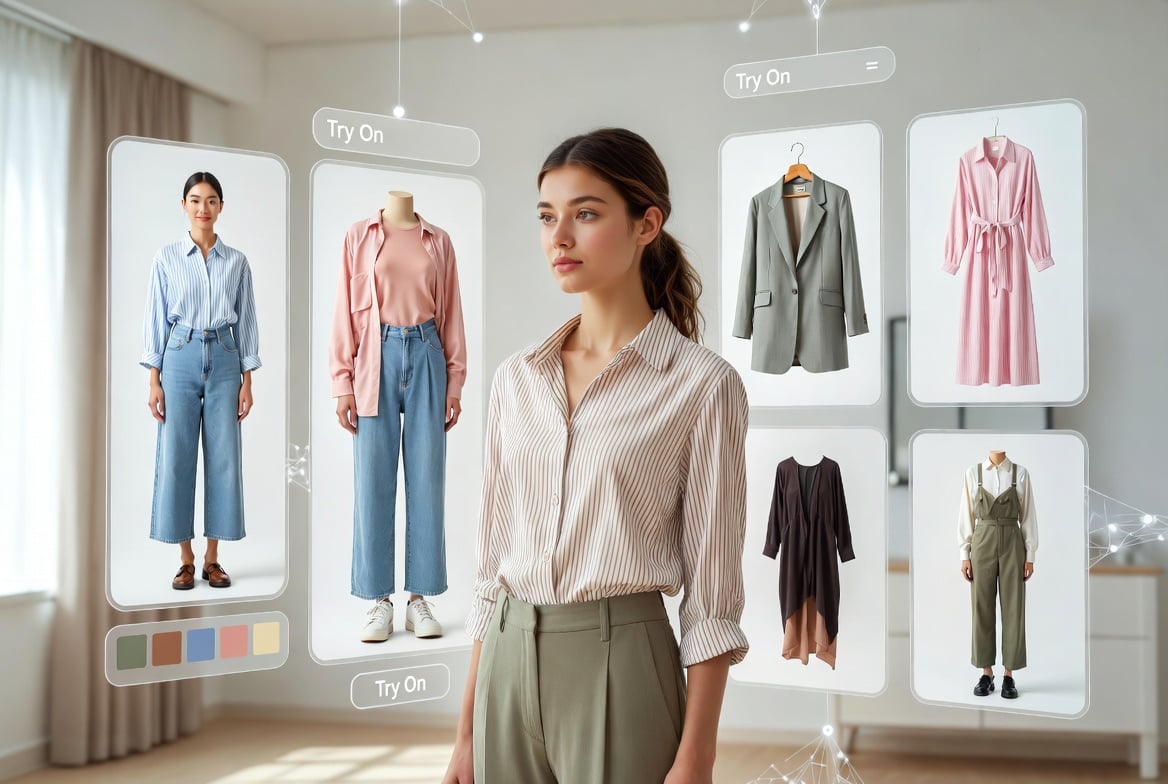
Convention weekends have a way of turning a simple outfit idea into a full production. A jacket that looked perfect online suddenly feels too warm for a crowded hall. A costume color reads differently under hotel lighting. A layered look that seemed dramatic in your head becomes hard to move in once you add a bag, badge, camera, and shoes that have to survive twelve hours on concrete.
That is why more creators are starting to treat outfit planning like pre-production. Before buying every piece, booking a shoot, or packing the night before a con, they want a fast way to see whether a look makes visual sense. An AI clothes swap workflow can help with that early visual pass. It lets a creator test different garments, colors, and style directions on a real photo without turning the whole process into a Photoshop project.
Caption: AI outfit previews work best as a pre-production step, helping creators narrow a convention look before buying, sewing, or packing the final pieces.
This does not replace sewing, styling, makeup, or the fun of building a real look. It works best as a planning tool: something you use before the money, time, and con-weekend pressure pile up.
Why outfit previews matter for fandom creators
Cosplay and convention style sit in a strange middle ground. The look needs to feel expressive enough for photos, but practical enough for a long day. It may borrow from anime, comics, horror, fantasy, sci-fi, games, or a personal original character. It may also need to work in a hotel lobby, a crowded vendor room, and a quick outdoor photo session where the lighting is not exactly under your control.
That creates a few common problems:
The idea looks great as separate pieces, but awkward when combined.
A color palette feels right on a mood board, but flat on camera.
A jacket, cape, armor layer, or dress changes the silhouette more than expected.
The outfit reads too close to a character reference, or not close enough.
The creator does not know whether a bolder version is worth building.
AI outfit previews are useful because they make those questions visual earlier. Instead of guessing from product images and inspiration boards, a creator can start with a clear photo of themselves and test a direction in minutes. The result is not a final costume proof. It is a sketch with enough realism to guide the next decision.
A practical convention outfit workflow
The strongest way to use AI is not to ask for one magic result. Treat it like a quick round of concept art for your own wardrobe.
First, choose the role of the outfit. Is it a full cosplay build, a casual fandom-inspired fit, a creator profile photo, a themed party look, or a travel-friendly con outfit? The answer changes everything. A full cosplay may prioritize accuracy and props, while a casual look may only need the right silhouette, color story, and attitude.
Second, start from a good source photo. Use a clear, well-lit image where your face, shoulders, torso, and posture are visible. The more readable the source image is, the easier it is for an AI clothes changer to preserve your proportions and lighting. Avoid heavy shadows, extreme angles, busy mirrors, and poses where your arms hide half the outfit.
Third, test style directions in groups. Do not compare twenty random looks. Run three or four controlled directions, such as:
streetwear version
screen-accurate version
formal or red-carpet version
travel-friendly version
darker villain-coded version
Fourth, keep a short note beside each result. Ask what changed: the silhouette, the color, the confidence level, the photo readability, or the practicality. If a result only looks good because the pose hides the shoes or the waistline, that is not a strong planning signal.
Finally, use the preview to decide what to test physically. Buy or borrow the pieces that survived the visual pass. Try the real outfit under similar lighting. Walk, sit, lift your arms, carry your bag, and check whether the look still works after thirty minutes.
What to check before trusting a preview
AI can make outfit planning faster, but it can also make a bad idea look smoother than it will feel in real life. The trick is to review each preview with a creator’s eye instead of accepting it because it looks cool.
Check: Face and identity
Why it matters: The result should still feel like the person in the source photo.
What to look for: Facial features, skin tone, and expression should not drift.
Check: Body proportions
Why it matters: A costume needs to work on the creator’s real frame.
What to look for: Watch for warped shoulders, waist, hands, or legs.
Check: Fabric logic
Why it matters: Real fabric has weight, folds, and seams.
What to look for: Look for melted textures, impossible collars, or strange hems.
Check: Color under light
Why it matters: Convention halls and hotel rooms change color fast.
What to look for: Test whether the palette still reads in warm, cool, and flash-like lighting.
Check: Accessories
Why it matters: Props and layers can make or break a silhouette.
What to look for: Belts, gloves, shoes, bags, wigs, or badges should not fight the outfit.
Check: Mobility
Why it matters: A great photo look can still be miserable to wear.
What to look for: Ask whether you can walk, sit, eat, and carry gear in it.
This is where an AI dress up tool is most useful. It gives creators a fast way to try playful variations on their own photo, then narrow the list before doing the real-world work.
Where AI helps most
AI previews are strongest during early planning, especially when the cost of trying an idea in real life is high.
They help with color direction. If you are torn between a burgundy jacket, a navy coat, and a silver-gray version of the same concept, previewing the options can quickly show which one reads best on your frame. For smaller edits, a clothes color changer can be useful when the garment shape is right but the shade is not.
Caption: A simple flat-lay planning pass can help creators compare colors, layers, and practical accessories before committing to a convention look.
They help with silhouette. Some outfits need volume. Others need clean lines. A preview can show whether a long coat overwhelms the look, whether a cropped jacket sharpens it, or whether the whole idea needs a different base layer.
They help with content planning. Creators who shoot TikToks, Reels, thumbnails, or convention recaps can test whether a look will pop in a vertical frame. A good con outfit is not only something you wear. It is something that photographs clearly in a crowd.
They also help with confidence. Sometimes the biggest barrier is not technical skill; it is not knowing whether a bold idea is worth the risk. Seeing a rough version on your own photo can make the next step feel less abstract.
Where AI should not make the final call
The real outfit still wins. AI cannot tell you whether boots will hurt after six hours, whether a wig will overheat, whether a shoulder piece will survive a packed escalator, or whether a fabric will wrinkle in a suitcase. It also cannot guarantee that a generated detail is buildable, affordable, or safe to wear around crowds.
Creators should also be careful with consent. Use your own photos or images you have permission to edit. If a group cosplay involves friends, ask before uploading or transforming their images. A planning tool should make the process easier, not blur boundaries around identity and likeness.
There is also a difference between inspiration and imitation. If you are building around a beloved character, decide how close you want to get to the original design. Some events and communities love accuracy. Others reward personal interpretation. AI can show both, but the creator still has to choose the lane.
A simple pre-con preview checklist
Before locking a look, run through this quick list:
- Does the outfit read clearly in one full-body image?
- Does the color palette still work in lower light?
- Can you identify which real pieces you would need to buy, sew, borrow, or modify?
- Does the silhouette work without perfect posing?
- Are the shoes, bag, badge, and layers accounted for?
- Is there a lighter backup version for long lines or hot rooms?
- Have you tested the final real outfit before packing?
That last point matters. AI is the preview, not the dress rehearsal. The best use of the technology is to move from “I wonder if this could work” to “these two versions are worth trying for real.”
The smarter way to use AI for convention style
The appeal of AI outfit tools is not that they remove creativity. It is that they give creators more room to experiment before the stressful part begins. You can test the dramatic version, the subtle version, the comfortable version, and the photo-ready version without turning your room into a pile of returns and fabric scraps.
For fandom creators, that speed can be genuinely useful. It helps connect the imaginative side of cosplay and convention style with the practical side of actually wearing, photographing, and moving through a busy event. The final look still belongs to the creator. AI just makes the early drafts easier to see.

Amanda Dudley is a lecturer and writer with a Ph.D. in History from Stanford University. After earning her doctorate in 2001, she decided to pursue a fulfilling career in the educational sector. So far, she has made giant strides by working as an essay writer for EssayUSA, where she delivers high-quality academic papers to students who need them.