

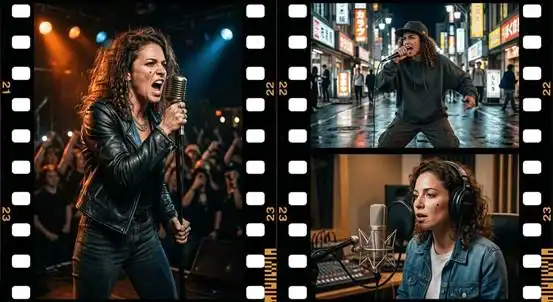
BeatViz is the best fit for independent musicians who want to turn a complete song into a story-driven AI music video with recurring characters, while Seedance 2.5 is better suited to longer narrative sequences, Kling 3.0 offers detailed control over character performances, and MiniMax H3 focuses on high-resolution cinematic video generation. The distinction matters: Seedance 2.5 supports up to 30 seconds per generation, while Kling 3.0 and MiniMax H3 support up to 15 seconds. A three-minute song lasts 180 seconds, making full-song planning, visual continuity, and editing just as important as the quality of individual clips.
For musicians, the real challenge is not creating one impressive shot. It is making sure the singer introduced in the opening verse still looks recognizable in the final chorus, the story progresses naturally, and the visuals follow the song rather than competing with it.
That is why choosing the best AI music video generator requires looking beyond resolution, model capabilities, and cinematic effects.
Best AI Music Video Generators for Storytelling: Quick Comparison
The following comparison separates complete music video workflows from general-purpose AI video generation models.
| Tool | Best For | Video Generation Capability | Character Consistency Approach | Full-Song Workflow |
| BeatViz | Complete, story-driven music videos | Multi-scene generation and timeline assembly | Character references, story planning, scene-level refinement | Yes, built around the uploaded song |
| Seedance 2.5 | Extended narrative sequences | Up to 30 seconds per generation, plus extensions | Multimodal references and editing | Requires additional music-specific planning and assembly |
| Kling 3.0 | Character performances and controlled camera work | Up to 15 seconds; native 4K available in the 3.0 series | Element references and multi-shot direction | Requires separate full-song coordination |
| MiniMax H3 | Cinematic visuals and detailed production shots | Up to 15 seconds at up to 2K | Multimodal conditioning and scene direction | Requires separate music-specific editing |
These are differences in product design, not results from a controlled head-to-head rendering test.
A video generation model creates visual footage. A complete AI music video generator also needs to organize that footage around a song, manage recurring visual elements, and assemble a coherent final production.
Why Storytelling and Character Consistency Matter in AI Music Videos
A Music Video Needs More Than Attractive Scenes
Consider an independent pop artist releasing a three-minute song about a relationship ending.
The first verse might show the protagonist leaving an apartment. The chorus could shift to a nighttime performance. The bridge might return to a meaningful location, while the final chorus brings the performer back with a different emotional perspective.
These scenes need to feel connected.
Without a coherent visual plan, an AI system might produce an excellent street scene, a beautiful stage performance, and an atmospheric close-up that have little relationship to one another.
The result becomes a collection of visual demonstrations rather than a music video with a story.
Character Consistency Is More Than Facial Similarity
Character consistency means preserving recognizable identity across changing shots, environments, and actions.
That includes facial structure, hairstyle, clothing, accessories, and distinguishing physical details.
It also includes narrative continuity. A character who appears in a blue jacket during the first verse should not unexpectedly appear in a different costume halfway through the same continuous scene unless the story calls for it.
Reference images help establish identity, but they do not guarantee identical results across every generation.
A dependable workflow therefore needs three elements: clear character references before generation, consistent creative direction during production, and a way to correct individual shots afterward.
BeatViz: Best AI Music Video Generator for Full-Song Storytelling

BeatViz is designed for musicians who begin with an existing audio track and want to develop it into a complete music video.
Rather than treating every video clip as an independent project, BeatViz connects music analysis, visual planning, AI-assisted generation, and editing within one production workflow.
This approach makes it particularly relevant to independent musicians creating narrative ballads, performance-driven pop videos, fictional artist projects, and multi-scene music videos.
From Music Analysis to a Complete Visual Story
A useful storytelling workflow begins with the structure of the song.
An opening instrumental section may need establishing shots. A restrained verse might benefit from close-ups and slower movement. The chorus may demand stronger camera motion, while the bridge introduces a visual turning point.
BeatViz analyzes the uploaded music and provides a guided process for developing visual concepts, characters, scenes, and individual shots.
Its Workflow mode helps creators move from musical input and creative direction through storyboarding, reference frames, video generation, and final assembly.
The important difference is that artists can consider the entire song before producing every individual shot.
AI Director and Workflow: Planning Before Generating
BeatViz also includes an AI Director experience that allows creators to develop music video concepts through conversation.
An artist can describe the intended mood, characters, locations, and story direction, then use the AI-assisted process to develop scenes and shot ideas.
For example, a songwriter creating a cinematic indie-pop video might request a recurring female protagonist, an abandoned coastal town, muted blue-gray colors, and a visual narrative that becomes warmer during the final chorus.
A consistent creative brief gives the resulting scenes a shared direction.
BeatViz’s guided Workflow provides another option for creators who prefer moving through structured production stages rather than directing the project primarily through conversation.
These approaches are useful for different levels of involvement, from exploring an initial concept to refining a planned sequence.
Character References, Lip Sync, and Timeline Editing
Character reference images are especially important when the same performer needs to appear repeatedly.
BeatViz allows creators to introduce character references while setting up a project, helping establish a recognizable performer before generating the surrounding scenes.
For performance-focused videos, its Editor also provides dedicated lip-sync generation tools for connecting vocal performances with video.
The timeline is equally valuable. If one scene contains an incorrect outfit, an inconsistent face, or unsuitable camera movement, creators can work on that section without necessarily rebuilding the entire music video.
That matters because consistency remains a challenge even with advanced AI models.
Lip sync and identity preservation still require inspection, particularly in close-up performances or scenes involving multiple people.
Seedance 2.5: Best for Longer AI Video Storytelling Sequences
ByteDance’s Seedance 2.5 is a compelling option for creators who want to develop longer, connected narrative sequences.
Released in July 2026, the model supports up to 30 seconds of audiovisual generation in one pass, alongside multiple rounds of extension.
It also supports reference-based creation using combinations of images, video, and audio, allowing creators to communicate aspects of character appearance, camera movement, and visual style.
Where Seedance 2.5 Makes Sense
Imagine a music video sequence following a singer from a backstage dressing room, through a corridor, and onto a concert stage.
Instead of producing each moment as an unrelated shot, Seedance 2.5 can organize several connected actions within one generated sequence.
This makes it interesting for narrative transitions, continuous tracking shots, and scenes in which relationships between actions matter.
However, generating a coherent 30-second sequence does not automatically solve the larger problem of directing a complete song.
Creators still need to determine where scenes belong, align visual changes with the existing recording, preserve identities across the broader production, and prepare the final edit.
Kling 3.0: Best for Character-Driven Performances and Shot Control
Kling 3.0 is particularly relevant to music video creators who need to direct individual performances and camera movements.
The model series introduced improved element references, multi-shot storytelling, and native audio capabilities. Kling Video 3.0 supports generation of up to 15 seconds, while native 4K output subsequently became available within the 3.0 series.
For a musician, these capabilities are valuable when creating performance scenes requiring recognizable subjects and deliberate cinematography.
Where Kling 3.0 Makes Sense
A director might need a realistic close-up of a singer holding a microphone, followed by a wider shot that reveals the band and stage lighting.
References help establish the subject, while multi-shot instructions provide guidance over how the sequence should unfold.
Kling 3.0 can be especially useful for carefully directed performance footage, dramatic movements, and shots where lighting and camera perspective are central to the visual impact.
Its native audio capabilities should not, however, be confused with automatic synchronization to an entire pre-existing song.
A complete music video still needs song-level structure, continuity review, and final editing.
MiniMax H3: Best for Cinematic AI Video Generation
MiniMax introduced H3 in July 2026 as a general-purpose multimodal generation model supporting video output of up to 15 seconds at 2K resolution, with native stereo audio.
Its design emphasizes multimodal understanding, instruction following, and controllable generation and editing.
For music video production, these capabilities are useful when a creator wants visually distinctive scenes rather than relying exclusively on one automated creative direction.
Where MiniMax H3 Makes Sense
Consider an alternative-rock music video featuring a lone guitarist performing against a stormy coastal landscape.
The production might call for detailed atmospheric lighting, dynamic motion, and cinematic composition.
H3 provides an option for generating such visual material, with its 2K output specification relevant to creators prioritizing image detail.
But the resolution of a single shot does not determine the quality of the complete music video.
Maintaining the guitarist’s appearance across multiple locations, deciding when to cut between scenes, and syncing the finished edit with the track remain separate creative tasks.
How Many AI Video Clips Do You Need for a Three-Minute Song?
A three-minute song contains 180 seconds of audio. The theoretical number of generated clips depends on how much footage each generation supplies.
| Clip Duration | Minimum Clips for 180 Seconds |
| 30 seconds | 6 |
| 15 seconds | 12 |
| 8 seconds | 23 |
| 6 seconds | 30 |
These figures are mathematical minimums, not estimates of the number of successful generations required.
Real productions often use shorter shots, alternative angles, repeated visual motifs, and additional generations to correct unsuitable material.
A fast-cut rap video may need substantially more individual shots than a slow cinematic ballad.
This explains why the longest available generation time is not necessarily the most important purchasing criterion.
For a complete song, the ability to plan, organize, replace, and assemble scenes can be more useful than generating longer footage alone.
How to Create an AI Music Video With Consistent Characters
A practical full-song workflow can reduce continuity problems before they become expensive editing problems.
Step 1: Map the Song’s Structure
Identify the intro, verses, choruses, bridge, and outro. Decide where the story begins, develops, and ends.
Musical transitions can guide changes in camera movement, locations, and visual intensity.
Step 2: Build a Character Reference
Choose a clear image showing the character’s face, hairstyle, and important costume details.
Keep a simple character description documenting distinctive features and accessories. Avoid changing these details unnecessarily between prompts.
Step 3: Plan Scenes Before Rendering Video
Create a scene outline showing what happens during each musical section.
For a narrative video, decide which locations and characters return later. For a performance video, identify the shots where singing and lip sync matter most.
Step 4: Generate and Inspect Reference Frames
Review the appearance of important characters before generating motion.
If a reference frame already contains the wrong hairstyle or outfit, correcting it early may prevent additional failed video generations.
Step 5: Generate Scenes and Refine the Timeline
Produce individual clips, check facial identity and visual continuity, and arrange the material against the song.
With a timeline-based tool such as BeatViz Editor, creators can refine specific sections and incorporate lip-sync generation where needed.
Step 6: Review the Complete Music Video
Watch the entire result rather than judging each scene independently.
Check repeated characters, costume changes, musical transitions, close-up mouth movements, and the relationship between the opening and ending.
A visually impressive scene that disrupts the story may be better replaced with a simpler shot.
How to Choose the Best AI Music Video Generator
The best choice depends on what you need to deliver.
For independent musicians releasing a complete song: prioritize a music-first workflow with creative planning, recurring character references, and timeline editing. BeatViz is a relevant choice for this production approach.
For filmmakers creating longer narrative passages: consider Seedance 2.5 when extended sequences and multimodal references are more important than integrated song assembly.
For directors focusing on performances: Kling 3.0 offers tools for character references, multi-shot direction, and expressive visual performances.
For creators producing cinematic inserts: MiniMax H3 is worth considering for high-resolution visual generation and detailed scene direction.
Also consider how much time you can spend editing. A general-purpose model may be suitable for an experienced video editor, while a musician without an established visual production workflow may benefit more from a dedicated music video platform.
Frequently Asked Questions
What is the best AI music video generator for storytelling?
BeatViz is a strong choice for musicians who want to turn an existing full song into a connected visual narrative. Its music analysis, AI Director, guided Workflow, and Editor provide a more complete production path than generating isolated AI video clips.
Can AI keep the same character throughout an entire music video?
Yes, AI tools can use reference images and structured workflows to improve character consistency across scenes. However, no reference system guarantees perfect preservation of facial features, clothing, or other visual details. Individual shots still need review.
Can Seedance 2.5 or Kling 3.0 create a full three-minute music video?
They can contribute footage to a longer music video, but their stated single-generation limits are shorter than three minutes. Seedance 2.5 supports 30-second generations and extensions, while Kling 3.0 supports up to 15 seconds per generation. Full-song assembly and synchronization require additional work.
Do AI music video generators support lip sync?
Some do. BeatViz includes dedicated lip-sync generation functionality inside its editing workflow. Results can vary depending on the source footage, facial visibility, audio, and scene complexity.
Is a higher video resolution better for music video storytelling?
Not necessarily. Higher resolution can improve visual detail, but a coherent story depends on character continuity, shot selection, pacing, and meaningful synchronization with the music. A carefully edited 1080p video can be more effective than disconnected higher-resolution scenes.
Final Verdict: What Is the Best AI Music Video Generator?
BeatViz is the best fit among these options for independent musicians seeking a complete AI music video built around storytelling, recurring characters, and an existing song. Its main advantage is the connection between music analysis, AI-assisted direction, character planning, lip sync, and timeline editing.
Seedance 2.5 is a useful choice for extended narrative sequences. Kling 3.0 offers strong options for directing character performances, while MiniMax H3 provides high-resolution cinematic generation.
None of these tools eliminates the need for creative judgment or quality control.
For artists creating a full release, the most useful question is not simply which AI model produces the best-looking 15 seconds. It is which workflow helps turn the entire song into a recognizable, coherent, and compelling visual story.

Sandra Larson is a writer with the personal blog at ElizabethanAuthor and an academic coach for students. Her main sphere of professional interest is the connection between AI and modern study techniques. Sandra believes that digital tools are a way to a better future in the education system.