

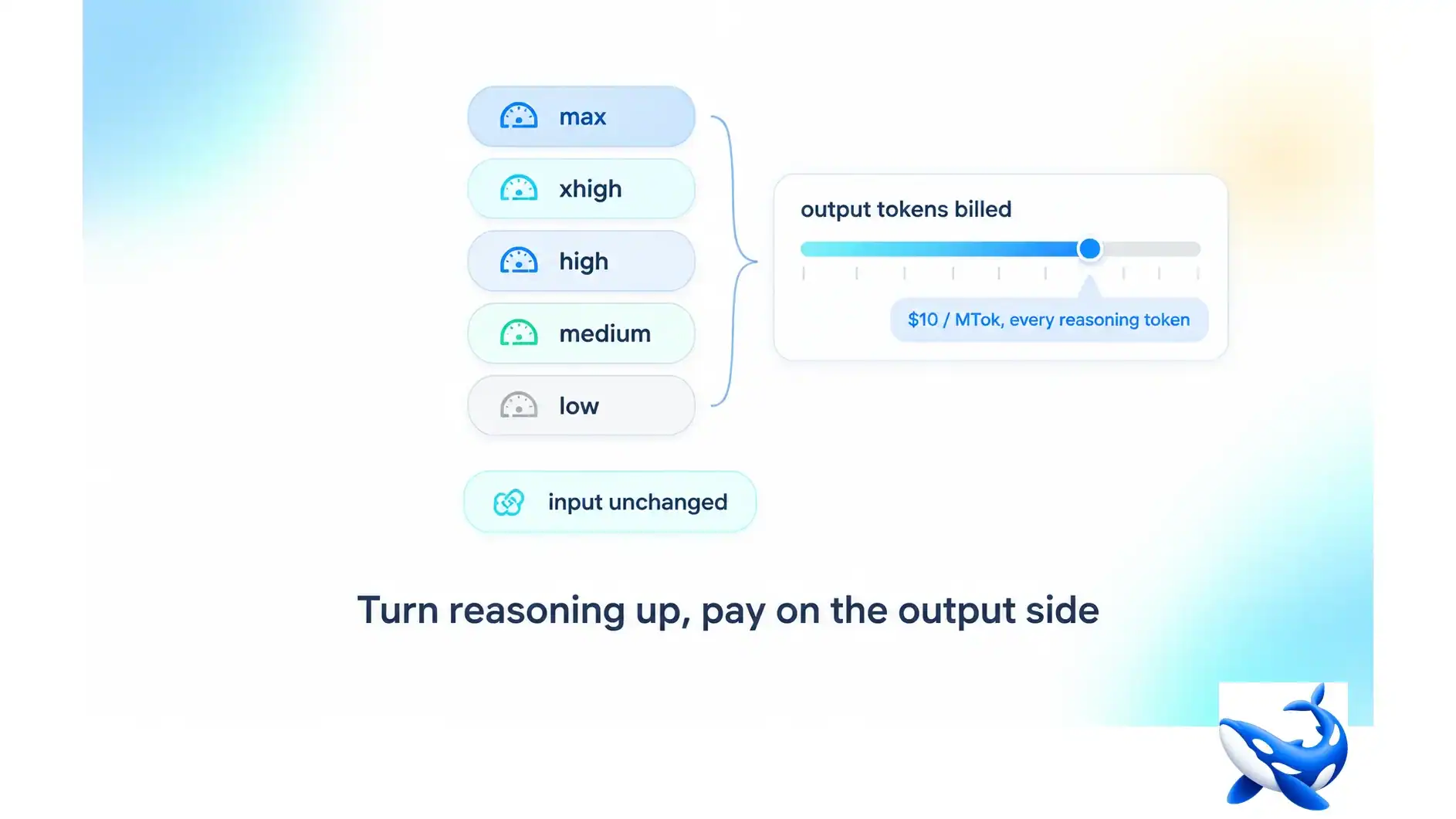
The GPT-6.1 Sol pricing card has two directions and one of them is under your control in a way the other is not. Input costs $2 per million tokens; output costs $10. The reasoning effort setting — low, medium, high, xhigh, max — does not change either rate. What it changes is *how many tokens come out*, because on a reasoning model the thinking is generated text and generated text is billed at the output rate. That is the whole mechanism, and it means the five settings are not five features. They are five price points wearing the same price tag. The GPT-6.1 Sol endpoint here is metered at list rate, so the arithmetic below is one you can check against your own invoice.
The question an effort setting answers is not “how smart”, it is “how many tokens of thinking is this request worth”.
What the setting actually controls
A reasoning model produces two things: the answer, and the reasoning that precedes it. The second is not a hidden process with no cost — it is generated token by token, and on every provider’s rate card it lands in the output column.
So the ladder is a multiplier on the most expensive direction. At low, the model commits to an answer quickly and emits few reasoning tokens. At max, it is permitted to think for far longer, and every one of those tokens is charged at $10 per million. Input is untouched: the same prompt costs the same at low as at max.
That asymmetry is the entire cost story, and it is why “just turn it up for hard problems” is a budgeting decision rather than a quality toggle. It is also why the two OpenAI models in this generation are hard to compare casually. Artificial Analysis measures both GPT-6.1 Sol and GPT-6 Astra at the Max setting — a deliberate choice, and the right one for a capability comparison, but it means the published per-task numbers are the *expensive* end of the ladder for both. Read on 2026-10-07, Sol’s independent per-task cost is $0.7242 at Max. Nobody has published what the same task costs at low.
The arithmetic, in one division
Here is the calculation worth memorising, because it converts a quality knob into a number.
Take a task that, at your current setting, produces 1,000 output tokens and costs you a cent. Move the setting up one rung and the model may produce 3,000 reasoning tokens plus the same 1,000-token answer. The bill for that call has tripled — not because the rate moved, but because the quantity did.
The crossover is simple to state and easy to compute for your own workload:
Extra cost per call = (reasoning tokens added at the higher setting) × $10 per million.
That is it. One multiplication. If a setting adds 2,000 reasoning tokens to a call and you run 100,000 calls a month, the higher setting costs you an extra $2,000 a month — and the only thing you get for it is whatever the added reasoning actually buys on your accuracy metric. That last clause is the one to hold onto: if you cannot measure the improvement, you are paying for a setting you have not evaluated.
| setting | what it buys you | what it costs you | when it is the wrong default |
| low | fastest answer, fewest reasoning tokens | the base output rate on a small number | hard multi-step work where it visibly fails |
| medium | a middle budget | roughly a small multiple of low | when you have not measured the delta |
| high | more thinking room | a larger multiple | high-volume classification and extraction |
| xhigh | near-ceiling reasoning | approaching the Max measurement | anything latency-sensitive |
| max | the vendor’s ceiling, and the setting the independent scores describe | the most output tokens per call | everything routine |
Two things about that table deserve saying out loud. It has no token figures in it, because per-setting token counts are task-dependent and no honest single number exists — the multiplier for your corpus is measured on your corpus. And the middle rows are where most teams should live: the gap between the top two rungs is usually smaller in quality and larger in cost than the gap between the bottom two.
Anchoring to the one published measurement
There is exactly one independent per-task figure available for GPT-6.1 Sol, and it carries a setting with it. Artificial Analysis, read 2026-10-07, at Max: total $0.7242 per task, of which the input component is $0.343. On the same harness and the same day, GPT-6 Astra — also Max — comes in at about $3.26, and Grok 4.7, measured at Xhigh, at about $3.74.
Read Sol’s two components together and the effort question gets sharper. At Max, Sol spends $0.381 on output against $0.343 on input — roughly half the bill is generated text. That is a harness that is far more output-heavy than a production retrieval pipeline, where input often dominates. Meaning: on real workloads, the effort setting is a smaller share of your bill than it is on a benchmark, but it is a share you choose, while the input share you mostly inherit from your architecture.
The cross-model comparison is the other reason to care about settings. A model evaluated at a lower effort will look worse at reasoning-heavy tasks for reasons that have nothing to do with the model. Grok 4.7’s Xhigh against Sol’s Max is not a like-for-like race, and any table that stacks them without saying so is comparing two different things.

Three rules for setting effort in production
Set it per route, not per project. The setting is a request parameter, so the sensible configuration is a different one on each route: low for classification, extraction and formatting; a middle rung for summarisation and code review; max only where the failure is expensive and the volume is low. A single global setting is either overpaying for the easy traffic or under-serving the hard traffic, and usually both.
Measure the delta before you keep it. The only defensible reason to raise effort is a measured improvement on your own metric. Run the same evaluation set at two settings and compare both the score and the output-token count. If the score moves by less than your noise floor, the extra rungs are buying reasoning you cannot detect.
Watch the tail, not the average. Reasoning-token counts are long-tailed: most calls sit near the median and a few emit multiples of it. A setting that looks affordable on average can produce a handful of calls that dominate a day’s spend. Cap the maximum output tokens per route as well as choosing the effort level — the cap is what turns an average into a bound.

The takeaway
Reasoning effort is a price dial, not a quality preset. On GPT-6.1 Sol it multiplies the $10 output direction while leaving the $2 input direction alone, and the multiplier is whatever the task actually demands — a number you can only get from your own traffic.
Treat the setting as a routing decision: cheap rungs as the default, expensive rungs earned by a measured improvement, and an output-token cap on every route so the tail cannot surprise you. Note the setting on any benchmark you quote, because a score without its effort level is not a comparison — the independent figures for GPT-6.1 Sol and GPT-6 Astra both come from Max, which is the expensive end of the ladder, not the middle.
OrcaRouter meters GPT-6.1 Sol at list rate on the same key as the rest of the OpenAI line, so you can run the same evaluation set at two effort settings and compare the invoices directly rather than estimating them.
Sourcing note: the reasoning ladder (low, medium, high, xhigh, max), the $2 / $10 rates and the 1.05M context window are OpenAI’s own published claims and have not been independently reproduced. The per-task cost figures ($0.7242 for Sol with a $0.343 input component, ~$3.26 for Astra, ~$3.74 for Grok 4.7) and the effort settings they were measured at (Max for Sol and Astra, Xhigh for Grok 4.7) are from Artificial Analysis’ live model pages, read 2026-10-07. No per-setting token multiplier is published by any source and none is assumed here; the arithmetic in this article is a formula for your own measurement, not a table of other people’s numbers. All checked 2026-10-07; re-check before 2026-11-01.

Madeline Miller love to writes articles about gaming, coding, and pop culture.