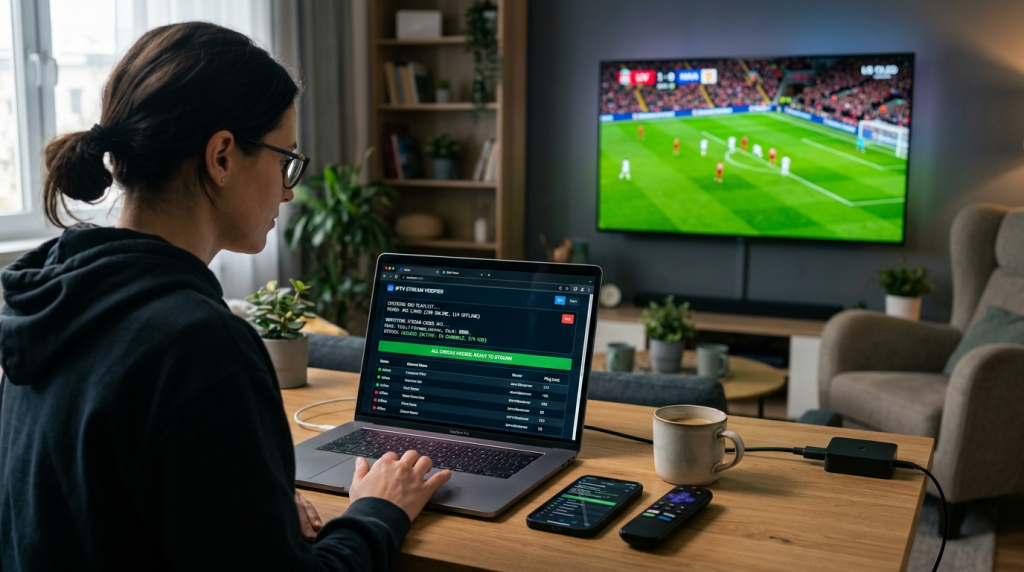
The IPTV industry has grown rapidly over the last few years, giving users access to live TV channels, movies, and on-demand content through internet-based streaming services. However, one of the most common problems IPTV users, resellers, and administrators face is dealing with broken M3U playlists, expired Xtream Codes credentials, or inaccessible streaming servers.
Whether you are an IPTV enthusiast looking for a smooth weekend football stream, a reseller managing dozens of clients, or a service provider auditing your streams, verifying IPTV credentials before attempting to load them into your player can save significant time and frustration.
In this ultimate guide, we will dive deep into the mechanics of IPTV playlists, why streams fail, and how you can utilize advanced browser-based tools like the IPTV Checker Pro Online to test your streams instantly without installing bulky software.
Understanding IPTV Credentials and Stream Formats
Most modern IPTV services deliver content to end-users using one of two popular delivery and authentication methods. Understanding how these formats operate under the hood is essential for effective troubleshooting.
1. M3U and M3U8 Playlist URLs
An M3U (Moving Picture Experts Group Audio Layer 3 Uniform Resource Locator) playlist is fundamentally a text-based file or URL containing metadata and direct links to live TV channels, movies, and series. IPTV players read this file sequentially to retrieve content from remote multimedia streaming servers.
A typical, fully-functional M3U URL contains several crucial parameters:
- Server Address (Host & Port): The digital location of the IPTV backend.
- Unique Username: Generated by the provider for authentication.
- Unique Password: Paired with the username to allow access.
- Output Format: Usually denoted as ts (MPEG Transport Stream) or m3u8 (HLS streaming protocol format).
If any single character, punctuation mark, or parameter within this long string of text becomes corrupted or invalid, the entire playlist may fail to parse in applications like Tivimate, IPTV Smarters, or Perfect Player.
2. Xtream Codes API
The Xtream Codes API remains the undisputed backbone of modern IPTV authentication systems. Developed originally as a panel management system, it simplifies the connection process by eliminating the need to handle massive text files. Instead of a long, confusing playlist URL, users typically receive clean credentials:
- Server URL / Portal Link (e.g., http://example.com:8080)
- Username
- Password
Compatible IPTV applications use these parameters to build a structured API handshake with the server. This allows the application to automatically categorize live channels, Video-on-Demand (VOD) movies, and TV series, while simultaneously pulling up-to-date Electronic Program Guide (EPG) data and account expiration metrics.
The Core Causes of IPTV Stream Failures
Before diving into how to test playlists, it is important to analyze why these links break in the first place. Stream failure is rarely random; it is typically tied to one of the following root causes:
| Issue | Technical Root Cause | Impact on the User |
| Expired Subscriptions | The billing cycle ended or the provider terminated the line. | The server rejects the connection entirely (401 Unauthorized). |
| Maxed Out Connections | The user exceeded the allowed number of simultaneous screens. | Constant buffering, immediate stream loops, or temporary IP bans. |
| Server Overload | Mass traffic during major live sports events crashes the backend. | Connection timeouts (504 Gateway Timeout) or lagging streams. |
| ISP Throttling & Geo-blocking | Internet Service Providers intentionally block known IPTV server IPs. | Playlist appears dead unless a premium VPN is activated. |
| Format Expiry | The provider updated their server hostnames or directory structure. | The old playlist links point to non-existent digital pathways (404 Not Found). |
Without dedicated diagnostic scripts, determining whether an issue originates from your home Wi-Fi, your local application, or the provider’s server infrastructure is nearly impossible.
Why Automated IPTV Verification is Critical
Manually copying and pasting hundreds of live stream links into media players like VLC to see if they work is an inefficient, exhausting process. Utilizing an automated validation tool changes the entire dynamic of playlist management.
For Daily Streamers and Enthusiasts
Instead of resetting your router or reinstalling your Amazon FireStick apps out of frustration when a channel freezes, running a quick diagnostic via an online validator isolates the issue immediately. You will instantly know if the provider’s server is down or if your local network configuration needs adjustments.
For IPTV Resellers and Tech Admins
In the highly competitive IPTV market, customer support reputation is everything. If you provision an archive of dead playlists or invalid Xtream panels to new customers, your churn rate will skyrocket. Implementing a routine pre-check protocol ensures that every link you sell is active, functional, and optimized for immediate delivery.
The Ultimate Solution: IPTV Checker Pro Online
When it comes to analyzing playlist integrity smoothly, bulky downloadable desktop software can feel outdated, insecure, and sluggish. That is where modern web-native platforms shine.
The IPTV Checker Pro Online is a highly optimized, browser-based tool engineered to safely evaluate the data structures of both M3U playlists and Xtream Codes configurations.
Key Technical Advantages:
- Dual-Format Diagnostic Capabilities: You do not need separate applications to check an M3U file versus an Xtream API link. The portal seamlessly parses both structures through a single, clean user dashboard.
- Instant Server Status Metrics: The tool pings the remote server architecture to verify if the server is live, online, and accepting public inquiries, protecting you against silent server dropouts.
- Zero Software Footprint: Because it operates fully in the cloud via your web browser, you do not have to download suspicious .exe or .apk files that could compromise your computer or mobile device with malware.
- Cross-Platform Accessibility: Whether you are diagnosing links on a MacBook, a Windows desktop, an Android smartphone, or an iPad, you can simply load the Free IPTV Checker Portal and run tests instantly.
Step-by-Step Guide: How to Verify Your IPTV Streams Online
Testing your credentials with the cloud-based validator is direct and highly efficient. Follow these optimized protocols to clean up your playlists:
Step 1: Gather and Clean Your Input Credentials
Locate the raw M3U link text file or the Xtream login parameters provided by your IPTV vendor. Ensure there are no accidental spaces at the beginning or end of the text string, as spaces disrupt server connection scripts.
Step 2: Navigate to the Online Diagnostic Terminal
Launch your preferred web browser and head straight to the automated M3U & Xtream Link Tester.
Step 3: Execute the Validation Matrix
Paste your credentials into the designated input terminal. Click the Check or Analyze button. The backend code will execute a secure, rapid handshake sequence with the target streaming server.
Step 4: Interpret the Output Diagnostics
The system will dynamically output the server response metrics. It will explicitly tell you if the link is Active (Online), Expired, or Unreachable. Armed with this automated data, you can discard dead streams instantly and compile a flawlessly running playlist.
Pro-Tips for Optimizing Your IPTV Streaming Experience
Validating links is just one half of the equation; maintaining an optimized home theater ecosystem ensures long-term streaming stability.
- Deploy Premium Hardware: Budget Android boxes often lack the RAM and processing power required to decode heavy H.264/H.265 high-definition video streams smoothly. Invest in solid devices like the Nvidia Shield, Amazon Fire TV Stick 4K Max, or Apple TV.
- Prioritize Ethernet Over Wi-Fi: Wireless networks are highly susceptible to local radio interference, wall obstacles, and channel congestion. Running a physical Cat6 Ethernet cable directly into your streaming device minimizes packet loss and drastically cuts buffering.
- Use a High-Quality VPN: If your streams work flawlessly on the IPTV Checker Pro Online but buffer heavily inside your living room player, your ISP is likely throttling your connection. Activating a reputable VPN with optimized streaming protocols will mask your traffic and bypass local network blocks.
Frequently Asked Questions (FAQ)
What is the difference between an M3U link and an Xtream Codes login?
An M3U link is a single long URL containing all your authentication details alongside direct server path data. Xtream Codes splits these parameters into three clean, separate entries (Server URL, Username, and Password) which are much easier to type manually into smart TV applications.
Can a public IPTV checker steal my premium credentials?
When using reputable, secure cloud platforms like ge.m3uiptv.com, your inputs are processed securely to execute the server ping. Always avoid downloadable, unsigned software executables from unknown forums, as those are frequently packaged with hidden data-logging scripts.
Why does my M3U link say “Active” in the checker but won’t play in my app?
This issue typically indicates a local application caching problem or an active ISP block. Try clearing the data and cache inside your IPTV player application, or turn on a premium VPN to ensure your local provider is not filtering the server’s streaming port.
How often should I test my IPTV playlists?
If you are an everyday user, you only need to run tests when you encounter unexpected playback errors or channel drops. If you are an IPTV reseller or service manager, it is highly recommended to audit your playlist streams weekly to maintain elite quality control for your users.
Does the online checker fix broken or dead streams?
No, stream checking tools do not repair or regenerate subscriptions. They act as advanced diagnostic instruments that tell you exactly whether a link is functional, expired, or offline, allowing you to quickly determine if you need to contact your vendor for an account renewal or a server modification.
Final Thoughts
As the digital broadcasting world continues to move away from cable toward flexible internet streams, learning how to handle streaming errors effectively is a great skill to have. Instead of blindly guessing why an app fails to load, utilize the lightweight IPTV Checker Pro Online to systematically analyze your playlists in real-time. This simple habit keeps your media setups organized, saves hours of manual checking, and ensures you only spend your time enjoying elite, uninterrupted content.
Article Disclaimer:
This article is intended for informational and educational purposes only. Users should ensure they have the legal right to access and stream any content through IPTV services and comply with all applicable laws, licensing agreements, and platform terms of service.

Susan Wallace is a pro gamer and has been a strong influence over the gaming community. She also writes about the positive effects of gaming and how to avoid the negative effects of gaming. Her amazing writing has reached and helped many gamers. She actually helps people decide the best games to play based on their current situation.