

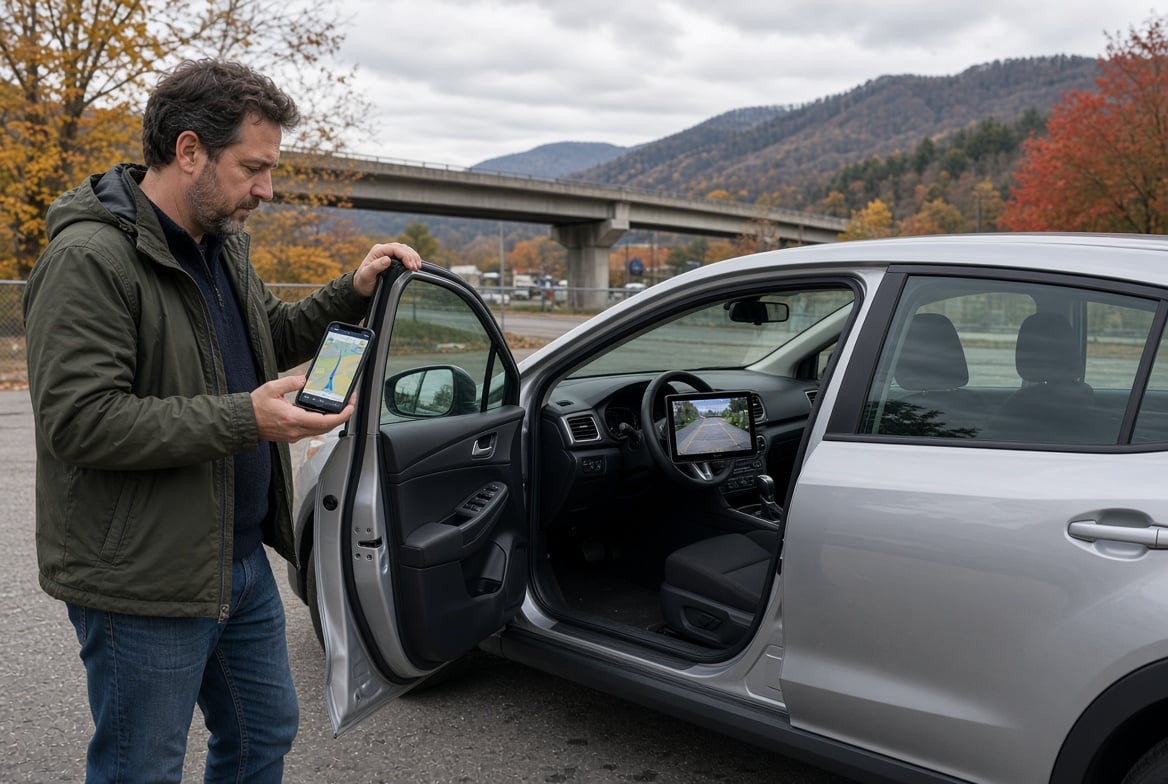
Technology has changed the way people drive, park, navigate, communicate, and stay aware of surrounding traffic. As a result, buying a used car today involves more than checking the engine, mileage, tires, and exterior condition. Depending on the model year and trim, a pre-owned vehicle may include many modern features that can make everyday driving more convenient and comfortable. When shopping through a used car dealership near Beckley, VA, it is worth taking time to test the technology as carefully as the mechanical components. Knowing which features to look for can help you compare used vehicles more effectively and identify technology that will remain useful for years to come.
1. Smartphone Connectivity and Infotainment
One of the first technology areas to inspect is the infotainment system. A modern used car may include a touchscreen display, Bluetooth connectivity, voice commands, smartphone integration, navigation, and access to entertainment functions.
Apple CarPlay and Android Auto can be particularly useful because they allow compatible smartphones to work with the vehicle’s display, microphone, speakers, and controls. The Insurance Institute for Highway Safety notes that these systems can provide a simplified interface for using smartphone functions through the vehicle.
When checking a used vehicle, connect your own phone if possible. Test whether the system recognizes it quickly and whether audio, calls, navigation, and steering-wheel controls work correctly. Also determine whether the connection is wireless or requires a USB cable.
Do not assume that every vehicle from a particular model year has the same technology. Features can vary significantly between trims and option packages.
2. Backup Cameras and Parking Assistance
A backup camera is another useful feature to inspect. It provides a view of the area directly behind the vehicle when reversing and can make parking and maneuvering easier. NHTSA notes that rearview cameras have been required on new vehicles in the United States since May 2018.
However, a used car may offer more than a basic rear camera. Some vehicles include parking sensors, rear cross-traffic alerts, or a 360-degree camera that creates a broader view around the vehicle.
During your inspection, put the vehicle in reverse and check the camera image for clarity. Look for excessive distortion, flickering, delayed images, or areas of the screen that do not work. Test the parking sensors as well, if equipped.
Rear cross-traffic alert is particularly useful because it can warn about vehicles approaching from the sides while reversing, including traffic that may not appear directly in the backup camera.
3. Blind-Spot Monitoring
Blind-spot monitoring can be valuable for drivers who regularly change lanes on highways or busy roads. The system generally uses sensors or cameras to identify vehicles traveling in areas that can be difficult to see in conventional mirrors.
Depending on the vehicle, a warning may appear in the side mirror, instrument cluster, or another display. Some systems also provide an audible alert when a turn signal is activated while another vehicle is detected nearby.
The IIHS reports that blind-spot detection has been associated with a reduction in lane-change crashes.
When inspecting a used car, ask whether the system is functioning properly and look for warning messages on the dashboard. If the vehicle has recently undergone body repairs, it is worth asking whether sensors were inspected or recalibrated, since modern driver-assistance equipment can depend on correctly positioned sensors.
4. Forward Collision Warning and Automatic Emergency Braking
Forward collision warning is designed to alert the driver when a potential collision with a vehicle ahead is detected. Automatic emergency braking can go further by applying the brakes when the system determines that a collision is imminent.
NHTSA identifies forward collision warning and automatic emergency braking among the driver-assistance technologies consumers should understand when shopping for vehicles.
These systems can differ considerably between manufacturers and model years. Some may detect vehicles, while others can also recognize pedestrians or cyclists.
When shopping for a used car, find out exactly what the system is designed to detect. Review the owner’s manual and check whether warning lights or system messages appear after startup.
Remember that these technologies are designed to assist rather than replace the driver. NHTSA emphasizes that current consumer vehicles still require an attentive human driver.
5. Adaptive Cruise Control
Traditional cruise control maintains a selected speed, but adaptive cruise control can adjust vehicle speed according to traffic ahead. NHTSA describes adaptive cruise control as a system that automatically adjusts speed to maintain a preset following distance.
For drivers who frequently travel on highways, adaptive cruise control can be a useful convenience feature. However, its operation can vary by vehicle. Some systems work down to low speeds, while others are intended primarily for highway conditions.
If a used car has adaptive cruise control, check that the controls are easy to understand and confirm whether the system is included with the specific trim. Avoid assuming that a vehicle has adaptive cruise simply because it has standard cruise control.
6. Lane Departure and Lane-Keeping Technology
Lane-related technology has also become increasingly common in newer used vehicles. Lane departure warning can alert drivers when the vehicle begins moving outside its lane without an intended maneuver. Lane-keeping assistance can provide steering input to help keep the vehicle within lane markings.
NHTSA distinguishes between systems that provide warnings and those that can provide steering assistance.
When comparing used vehicles, determine whether the system simply alerts you or can also provide corrective assistance. Check the dashboard for system settings and warning indicators, and review the owner’s manual to understand when the technology operates.
As with other driver-assistance systems, these features require the driver to remain attentive and in control.
7. Digital Instrument Displays
Not all technology is about safety or connectivity. The instrument cluster itself can provide useful information through a digital display.
Depending on the vehicle, you may see fuel economy information, tire-pressure readings, trip data, navigation directions, safety alerts, maintenance reminders, and other vehicle information.
When inspecting a used car, check that the display is bright, readable, and free of dead pixels or unusual lines. Cycle through the available menus to see whether all functions respond properly.
A digital display can also help identify potential issues. For example, warning messages or maintenance notifications may appear when the vehicle starts. Make sure you understand any alerts before moving forward with a purchase.
8. Wireless Charging and USB Connectivity
Modern drivers often rely on smartphones for navigation, communication, music, and other functions. For that reason, USB ports and wireless charging can be surprisingly important features.
Check how many USB ports are available and where they are located. If passengers regularly travel with you, rear-seat charging ports can be especially convenient.
If the car has a wireless charging pad, test it with a compatible phone. Make sure the phone remains connected while driving and that the charging pad does not produce intermittent connections.
Also check whether the vehicle’s USB ports are designed only for charging or can connect a smartphone to the infotainment system.
9. Navigation and Voice Controls
Built-in navigation can still be useful in a used car, but its usefulness depends on the system’s age and update capabilities. Older navigation databases may contain outdated road information, while smartphone-based navigation can provide more frequently updated information.
Test the vehicle’s navigation before buying. Enter a destination, check whether the GPS position is accurate, and see how quickly the system responds. Automotive technology guidance also recommends checking whether built-in navigation functions correctly during a used-car inspection.
Voice controls should also be tested. Try basic commands for navigation, phone calls, or audio functions to determine whether the system recognizes instructions consistently.
10. Automatic High Beams and Other Convenience Technology
Some used vehicles offer smaller technology features that can make daily driving easier. Automatic high beams can switch between high and low beams based on lighting and traffic conditions. NHTSA lists automatic high beams among available driver-assistance technologies.
Other features worth checking include keyless entry, push-button start, remote start, rain-sensing wipers, heated seats, memory settings, power liftgates, and automatic climate control.
These features may not determine whether a vehicle is mechanically sound, but they can have a meaningful effect on everyday convenience.
Test Every Feature Before Buying
A vehicle can look impressive on a specification sheet while having technology that does not work properly. That is why testing the features yourself is important.
Start the car and watch the dashboard for warning messages. Test the infotainment screen, cameras, speakers, Bluetooth, smartphone connectivity, charging ports, cruise control, driver-assistance settings, climate controls, and other equipment included with the vehicle.
For a used vehicle with advanced safety technology, ask whether any sensors or cameras have been repaired or replaced. If something does not function correctly, find out whether it is a simple setting issue or a problem requiring professional diagnosis.
Check the Vehicle History Too
Technology should never be evaluated separately from the vehicle’s overall condition. A used car with excellent features may not be a good fit if it has unresolved mechanical problems or a questionable history.
Review available vehicle-history information and maintenance records. Look for previous accidents, major repairs, ownership history, and regular maintenance. A professional inspection can also provide valuable information about mechanical and electrical condition.
Combining a technology check with a thorough vehicle inspection gives you a more complete picture of what you are considering.
Conclusion
Modern technology can add substantial value to a used car, but the most useful features are those that match your everyday driving needs. Smartphone connectivity, backup cameras, blind-spot monitoring, forward collision warning, automatic emergency braking, adaptive cruise control, lane assistance, digital displays, charging ports, and navigation are all worth checking when comparing pre-owned vehicles.
Take time to test each feature rather than relying solely on the vehicle’s advertisement or trim name. More importantly, remember that driver-assistance technology is designed to support an attentive driver, not replace one.
By combining a careful technology inspection with a review of the vehicle’s history, maintenance records, mechanical condition, and overall comfort, you can make a more informed decision when choosing a used car.

Matthew is a Sr. Content Writer working as a freelancer in Outreachmonks for the past 5 years. He has completed his education in Bachelor’s in Business Administration. With his articles he loves to impart information about the latest business trends and models.