

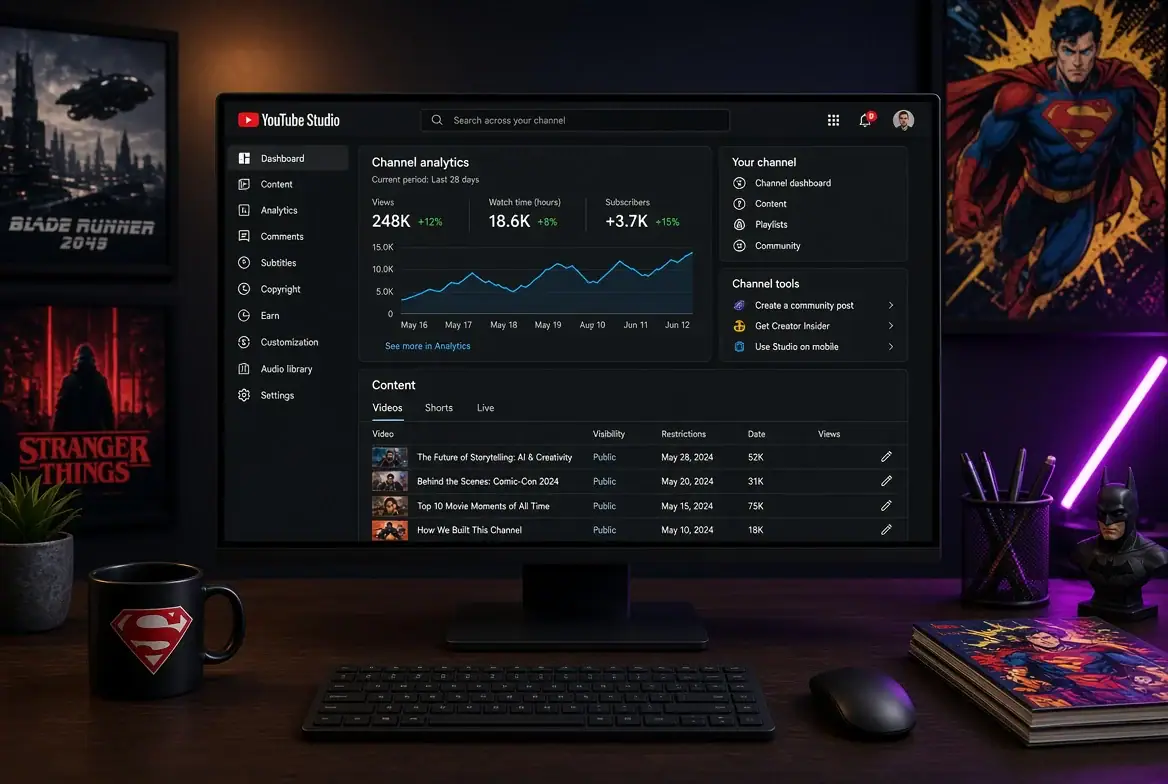
Anyone who runs a channel built on movie breakdowns, wrestling recaps, or comic book lore knows the job doesn’t end when the export finishes. There’s the thumbnail that needs swapping because the first one tested badly, the comment thread that’s turning into a fight over a casting rumor, and the scheduled premiere that has to line up with an embargo lift. Creator tooling in this space has mostly split into two camps: heavyweight editors that live on a desktop, and lightweight dashboards built for checking in and making small corrections fast.
YouTube Studio sits firmly in the second camp, and that’s its whole point.
What the YouTube Studio App Covers
Listed under Video Players & Editors and published under the name Google LLC, the app is the official companion for managing channels away from a desk. The pitch in its own store listing is blunt: check your latest stats, respond to comments, upload custom thumbnails, schedule videos, and get notifications so you stay connected from anywhere.
That feature set maps neatly onto how entertainment channels operate. Analytics for channel and video performance tell you whether the trailer reaction you rushed out at midnight is pulling retention or dying at the thirty second mark. Comment filtering and replies matter more here than in most niches, because fandom comment sections move fast and a creator who answers in the first hour gets very different engagement than one who shows up two days later.
Video details are editable too, including thumbnail images, monetization settings, and schedule dates. Playlist management is in there as well, which is quietly useful if you organize content into series: a season-by-season rewatch, a run of character retrospectives, a weekly sports roundup that needs new episodes slotted in order.
Notifications round it out. You get pinged when something important happens, which in practice means a video breaking out, a comment storm, or a scheduled upload going live.
Why Commentary Channels Lean on It
A gaming or film commentary channel runs on timing. Patch notes drop, a teaser lands, a trade gets announced, and the window to publish something relevant is measured in hours. The Studio app isn’t where you cut the video, but it is where you do the twenty small decisions that surround publishing.
Thumbnail swapping is the clearest example. If a video underperforms in its first hour, changing the image is one of the few levers available, and the app supports custom thumbnail uploads directly. Watching the analytics afterward to see if the click-through curve bends is part of the same loop.
Comment moderation is the other big one. Filtering tools let you sort through what’s arriving instead of scrolling an undifferentiated feed, which matters when a single viral video brings thousands of replies, many of them repeating the same question about a plot point.
Running YouTube Studio on a Windows PC
The app is built for Android, so putting it on Windows means running it through an Android emulator. BlueStacks is the one most people land on for this, and it handles the Studio app without much fuss.
The practical reason to bother is the second screen. Editing happens in your NLE, exports happen in the background, and having Studio open in its own window next to that lets you watch early performance on the last upload while you cut the next one. Mouse-driven comment moderation is also faster than thumb-scrolling when you’re triaging hundreds of replies after a big video.
Two things are worth setting up properly. First, the emulator needs access to a shared folder on your Windows drive, because the app requests storage permission to handle thumbnail uploads and you want your exported image files reachable from inside the Android environment. Second, sign-in uses the account permission, so the Google account tied to your channel has to be the active one in the emulator, not a throwaway. If the app shows the wrong channel or refuses to load analytics after login, that mismatch is almost always the cause, and the setup steps at YouTube Studio for PC show how to get the right account active before you start troubleshooting anything else.
Where It Stops, and What Fills the Gap
Studio is not an editor. It won’t trim your footage, mix audio, or build an intro sequence. Anyone expecting the full desktop creator dashboard experience should know the mobile app is a deliberately narrower tool, focused on monitoring and quick edits to things that already exist.
That narrowness is the point. You’re not fighting a complicated interface to check whether a video is holding viewers past the cold open.
For a channel covering, say, weekly episode reactions, the rhythm looks something like this:
- Publish the reaction, then watch the first-hour retention curve in analytics
- Swap the thumbnail if click-through is flat
- Filter comments for the recurring questions worth pinning
- Adjust the schedule date on next week’s pre-cut intro video
- Slot the new episode into the season playlist
None of those steps requires a video editor. All of them benefit from a keyboard, a real mouse, and a window that stays put while your render finishes.
That midnight trailer reaction, the one dying at the thirty second mark, is the scenario the whole setup exists for. Catching it early on a second monitor and fixing the thumbnail before the video stalls is a different outcome than noticing it the next morning.

Taylor Wynn is an esports betting columnist and digital wagering expert focused on emerging online gambling markets. Tracking esports odds across major leagues—from CS2 to League of Legends—Taylor offers insight into odds movement, bookmaker trends, and new player bonuses. Their work highlights the rapid evolution of online sportsbooks and the future of digital wagering experiences.