

#AD
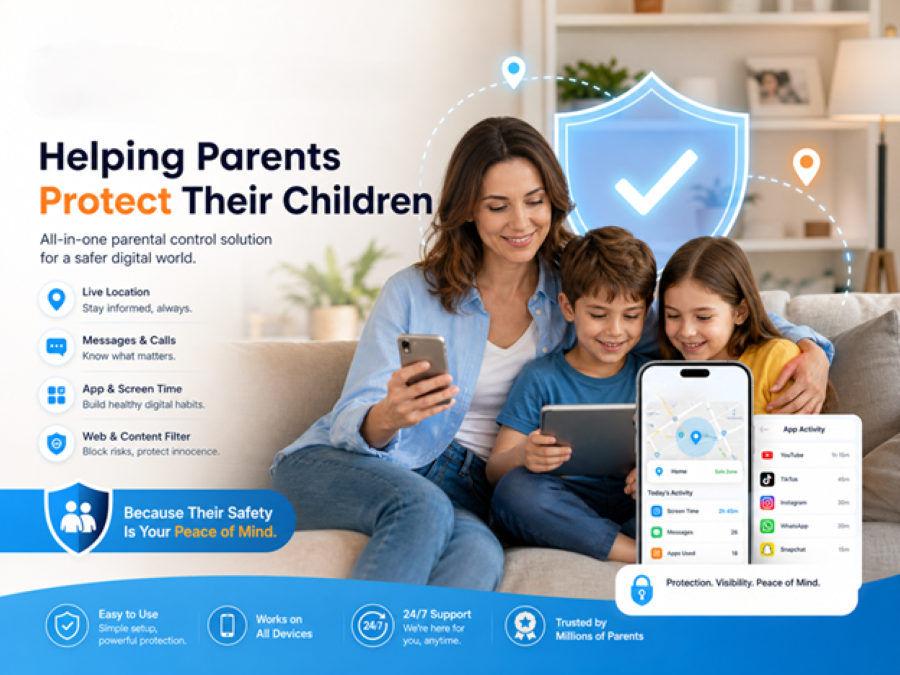
With children spending more time on smartphones than ever before, finding the right parental control app has become increasingly important. Parents today need more than basic screen time controls—they want better visibility into how their children use their devices while still encouraging healthy digital habits.
After exploring KidsGuard Pro, developed by ClevGuard, it becomes clear that the app focuses on providing parents with comprehensive monitoring tools in an interface that is straightforward and easy to navigate.
Quick Setup and User-Friendly Dashboard
One of the first things that stands out is the installation process. After connecting the target device, parents can access an online dashboard that organizes all monitoring information in one place.
Instead of jumping between different menus, activity reports, location history, screen time statistics, and app usage can all be viewed from a single dashboard, making it easier to check important updates throughout the day.
The interface is clean, making it accessible even for users who have little experience with parental monitoring software
Features That Stand Out
KidsGuard Pro combines several parental control tools into one platform, allowing parents to monitor multiple aspects of their children’s digital activity.
Some of the most useful features include:
- Real-time GPS location tracking with location history
- Screen time monitoring
- App usage reports
- Device activity history
- Social media activity monitoring
- Alerts for suspicious or unusual activity
Rather than overwhelming users with unnecessary settings, the app presents information in a way that allows parents to quickly identify changes in device usage or potentially concerning behavior.
Real-World Use Cases
KidsGuard Pro is especially useful for parents who want to better understand how their children are using smartphones on a daily basis.
For example, parents can:
- Check whether excessive screen time is becoming a concern.
- Review which apps are used most frequently.
- Verify a child’s location when they are away from home.
- Receive alerts when unusual device activity occurs.
- Monitor social media activity to identify potential online risks.
These features can help parents start meaningful conversations about online safety instead of reacting only after problems occur.
Performance and Overall Experience
During testing, the dashboard loaded quickly, and monitoring data was presented clearly without feeling cluttered. Navigation between different sections was smooth, making daily check-ins simple.
Because all key information is centralized, parents spend less time manually checking devices and more time focusing on understanding their children’s digital habits.
The app strikes a good balance between providing detailed insights and maintaining an easy-to-use experience.
Who Should Consider KidsGuard Pro?
KidsGuard Pro is well suited for:
- Parents with children using Android or iPhone devices
- Families concerned about excessive screen time
- Parents looking for location tracking and activity monitoring
- Families wanting additional visibility into social media usage
- Anyone seeking an all-in-one parental monitoring solution without a complicated setup
Final Verdict
KidsGuard Pro offers a comprehensive set of parental monitoring features that cover many of the concerns modern families face today. Its intuitive dashboard, broad monitoring capabilities, and practical reporting tools make it a solid option for parents who want greater visibility into their children’s digital activities while encouraging responsible device use.
For families looking for an easy-to-use parental control solution that combines monitoring, screen time management, and location tracking in one platform, KidsGuard Pro is certainly worth considering.
Limited-Time Offer
New users can currently receive 20% OFF with the exclusive discount code below.
Discount Code: GVN20
Learn more about KidsGuard Pro and choose the plan that best fits your family’s needs.

Amanda Lancaster is a PR manager who works with 1resumewritingservice. She is also known as a content creator. Amanda has been providing resume writing services since 2014.